





Spigot | Permissions | Commands | Configuration | Placeholders | Translations | API Information | Javadocs | Dev Builds
Get support for the plugin on the M.O.S.S. Discord! https://discord.gg/cqM96tcJRx
This is Cupjok/ProtectionStones-Folia, a fork of espidev/ProtectionStones by way of ArkFlame/ProtectionStones-Folia. On top of upstream it adds:
- Folia / Canvas support — region-aware scheduling throughout, so the plugin runs on threaded-region servers.
- Minecraft/Paper 26.2 support — updated for Paper's calendar versioning and its scheduler API changes.
- A full dialog GUI — everything a player can do, without typing a single command.
Run /ps gui, or just right-click your own protection block, and the whole plugin opens as a
native Minecraft dialog. It is built on the Paper Dialog API, which means Bedrock players connected
through Geyser see it as a real Bedrock form — so touch and controller players get a usable interface
instead of typing /ps addowner Steve into a phone keyboard.
Main menu — /ps gui |
Right-click your protection block |
|---|---|
 |
 |
| The whole plugin behind five buttons. | Everything for one region, including its live details. |
| Flags, one tap each | Members and owners |
|---|---|
 |
 |
| Tap to cycle allow → deny → default. Text flags open a text field. | Tap a name to remove them. |
| Add a player by name | Claim a new block — /ps get |
|---|---|
 |
 |
| Real text input — no chat commands needed. | Every block type you have permission for. |
| Browse everything you own | The less common options |
|---|---|
 |
 |
| Paginated, and cross-world for named regions. | Borders, priority, parent, hiding, merging. |
Covered by the menu: region info, your region list, teleport, set home, rename, members, owners, flags,
buy / sell / rent, taxes and autopay, priority, parent region, hide / unhide, merge, show borders, unclaim,
/ps get, and the placement toggle.
Requirements and behaviour
- Needs a Paper-based server on 1.21.6+ and a client on 1.21.6+. On anything older the plugin still works
normally — the menu just tells the player to use
/ps helpinstead. Nothing else is affected. - Right-clicking someone else's protection block shows a read-only info screen (with Buy/Rent buttons if the owner listed it), never their management menu.
- Sneak-right-click is still the break gesture; the menu only opens on a plain right-click.
- Every button respects the same permissions as the command it replaces, plus
protectionstones.guito open the menu at all.
Configuration — the menu writes its own plugins/ProtectionStones/gui.yml, separate from config.toml
and messages.yml:
settings:
  enabled: true
  right_click_opens_menu: true
  right_click_requires_empty_hand: false
  entries_per_page: 8
messages:
  # every string in the menu, translatable, using & colour codes
ProtectionStones is a grief prevention and land claiming plugin.
This plugin uses a specified type of minecraft block/blocks as a protection block. When a player placed a block of that type, they are able to protect a region around them. The size of the protected region is configurable in the plugins config file. You can also set which flags players can change and also the default flags to be set when a new region is created.
View the Spigot page (with FAQ and install instructions) here.
Check the wiki for plugin reference information.
- ProtectionStones-Folia 2.11.0
- Paper 26.2+ (or a fork of it — Folia, Canvas, Purpur are all tested)
- WorldGuard 7.0.18+
- WorldEdit 7.4.5+
- Vault (Optional)
- PlaceholderAPI (Optional)
- LuckPerms (Optional)
- Geyser + Floodgate (Optional — makes the dialog GUI a native Bedrock form)
Make sure you have the Java 21 JDK installed, as well as Maven.
git clone https://github.com/Cupjok/ProtectionStones-Folia.git
cd ProtectionStones-Folia
mvn clean install
Compiling ProtectionStones will also produce a jar with JavaDocs, which can be useful if you need documentation for an older version.
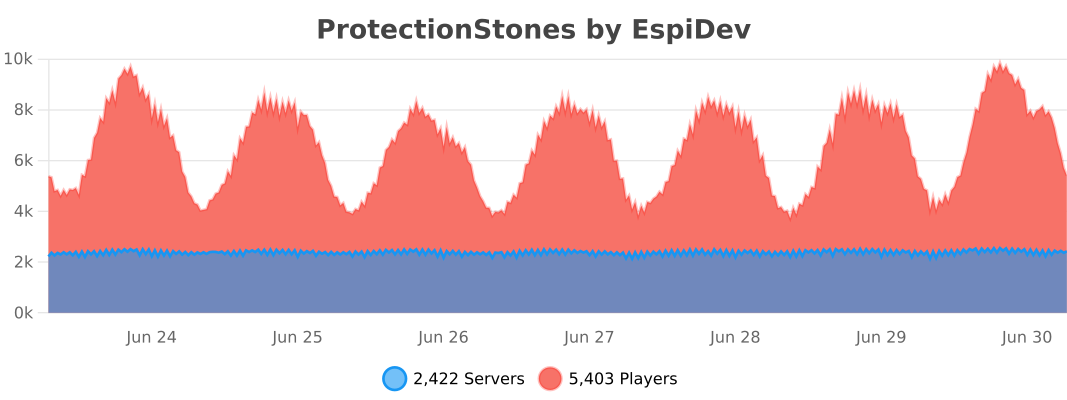

View full usage statistics here.
This plugin is licensed under the GPLv3, as is required by Bukkit plugins.