Local HTTPS proxy & mobile web debugging — one workflow from capture to page-level inspection
Website · Documentation · Changelog · Pricing · Releases



DevPeek is a Windows desktop app for developers and QA who debug mobile H5, Hybrid Apps, and WebView traffic through a local HTTP(S) proxy.
It is built around one idea:
Proxy + param transform + visual Mock + built-in mobile debug panels
—not packet capture alone.
About this repository: Official distribution, docs index, and feedback hub. Application source code is proprietary and not published here.
Classic proxy tools excel at TLS interception and API inspection. DevPeek targets the gap after that:
| Scenario | Typical pain | DevPeek angle |
|---|---|---|
| Body is HTTPS-plain but fields are AES/Base64 | Copy ciphertext between proxy, scripts, and Postman | Param transform — edit plaintext in-app, re-encrypt on send |
| Bug only reproduces on a real phone | DevTools on desktop cannot see the embedded page | Mobile debug panels mirror proxied HTML on your PC |
| Mock rules are tedious to hand-write | Regex and JSON editing for every endpoint | Visual Mock from a captured request |
| Teammate needs the same session | Export files, sync timestamps manually | LAN collaboration & session share |
See also: Charles Proxy alternative — when to pick DevPeek
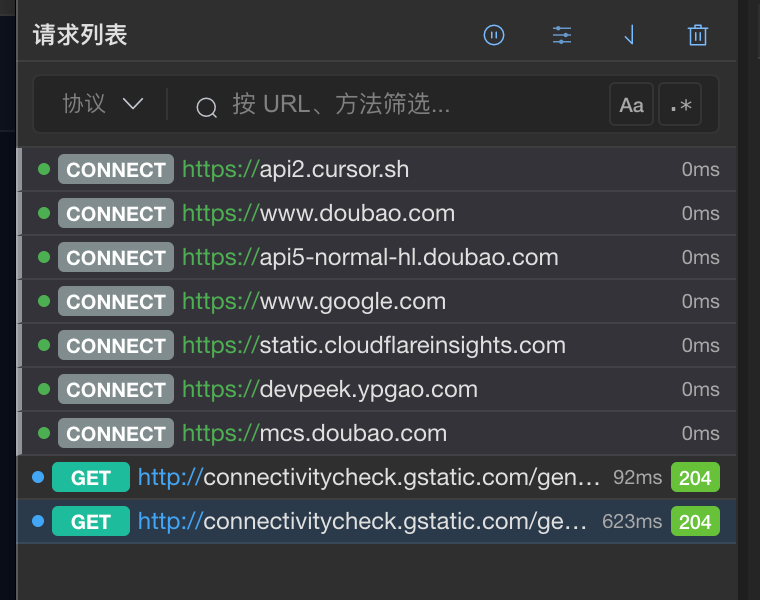
Capture — per-device tabs, decrypted HTTPS bodies
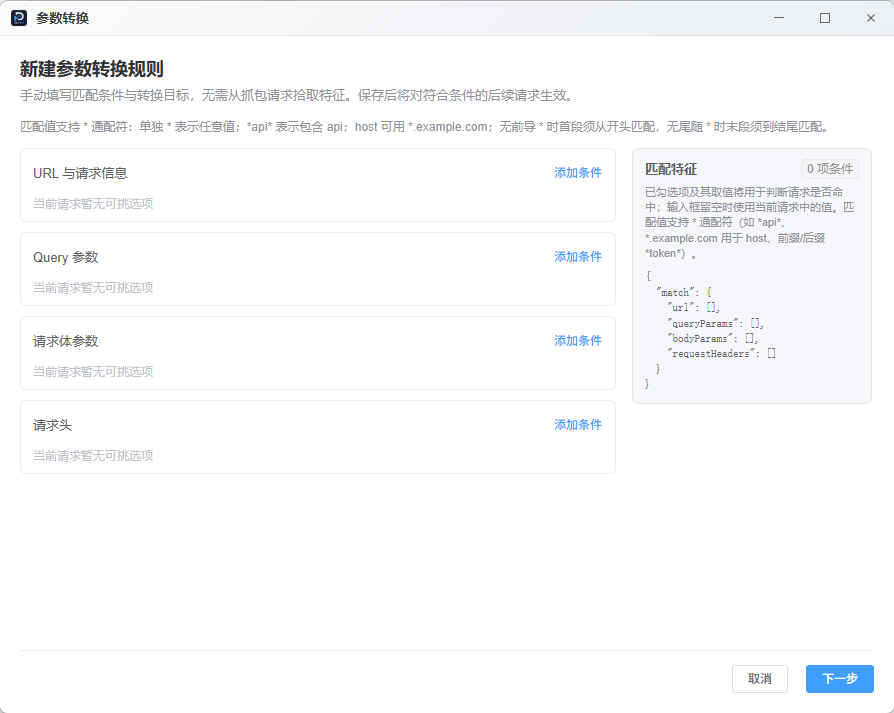
Param transform — rule wizard for encrypted request fields
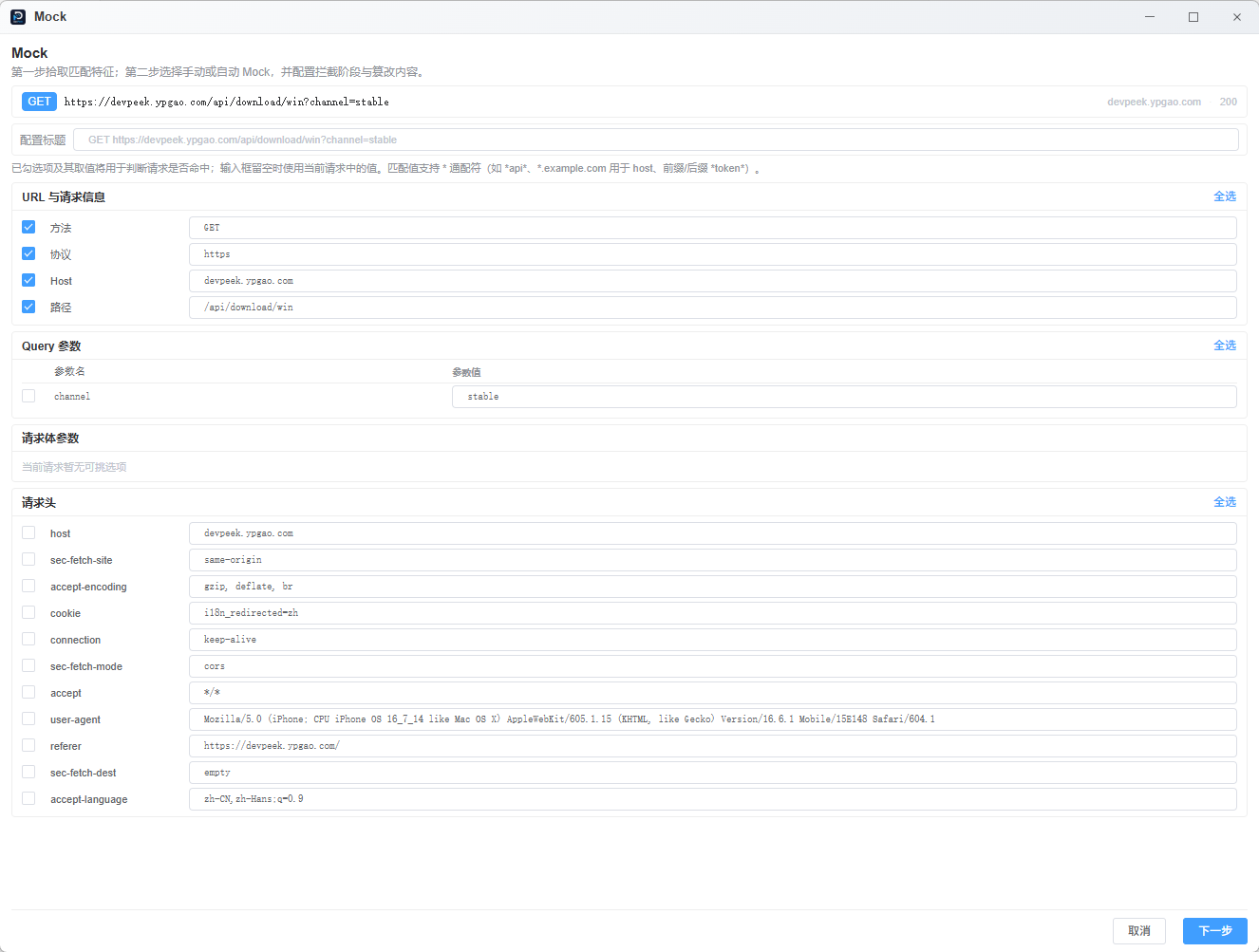
Visual Mock — pick traits from a live request
Capture & inspection
- Local HTTP(S) MITM proxy (generated CA, host-based decrypt rules)
- Client tabs by IP — phone, browser, test app stay separated
- Response-body search (regex, case options)
- Breakpoints, throttling, lifecycle scripts
Param transform (differentiator)
- Rules for Base64, AES, custom scripts
- Details, Mock, and debug APIs default to plaintext; outbound requests re-encrypt automatically
- GitHub guide · Full docs on website
Mock & routing
- Request-only or response-only intercept
- Map Route / forward rules for local backends
Mobile web debugging
- Mirror proxied HTML with self-built Elements / Console / Network panels
- GitHub guide · Website guide
Also included
- LAN collaboration · Chromium extension import · SQLite history · auto-update
Core desktop features are free forever. Pro & Team tiers: pricing.
- Download the Windows installer (or GitHub Releases).
- Set the phone Wi‑Fi proxy to
PC_LAN_IP:8888(port shown in the title bar; one-click copy). - Install & fully trust the DevPeek root CA; add target hosts to SSL decrypt scope.
- Capture tab → inspect traffic. Debug tab → select the phone client, refresh the page to mirror.
Checklist & troubleshooting: docs/quick-start.md · Website quick start
| Channel | URL |
|---|---|
| Official (recommended) | https://devpeek.ypgao.com/ |
| GitHub Releases | https://github.com/GYPengDev/devpeek/releases |
| Install & certificates | https://devpeek.ypgao.com/en/docs/install/ |
Windows builds are published today. Other platforms — see release notes.
This repo hosts short, scenario-focused guides for discovery and search. Step-by-step manuals with videos and figures live on the website.
| Topic | GitHub (summary) | Website (full manual) |
|---|---|---|
| Quick start | docs/quick-start.md | EN · ZH |
| Charles alternative | docs/charles-alternative.md | Capture docs |
| Param transform | docs/param-transform.md | EN · ZH |
| Mobile H5 debug | docs/mobile-h5-debugging.md | EN · ZH |
| Mock, SSL, FAQ | — | docs index |
Recent release highlights: CHANGELOG.md
Canonical, version-by-version notes: devpeek.ypgao.com/changelog
- Bugs: Open an issue
- Features: Feature request
- Questions: Discussions · Contact form
- Security: SECURITY.md
| Repository | Role |
|---|---|
| devpeek-site | Official website (Nuxt) |
| examples/ | Config samples index (rules & transforms) |
Mobile frontend · Hybrid / uni-app · React Native & Flutter WebView · H5 inside native shells · QA engineers doing joint debugging on real devices.
DevPeek is proprietary software. All rights reserved.
This repository contains documentation, release metadata, and community templates — not application source code.