
PandaAI QuantFlow 是一个集成的量化交易和机器学习工作流平台,旨在为量化研究人员提供完整的端到端解决方案,降低AI门槛,打破传统量化高门槛壁垒,让主观交易者、学生乃至普通投资者都能参与策略研发。
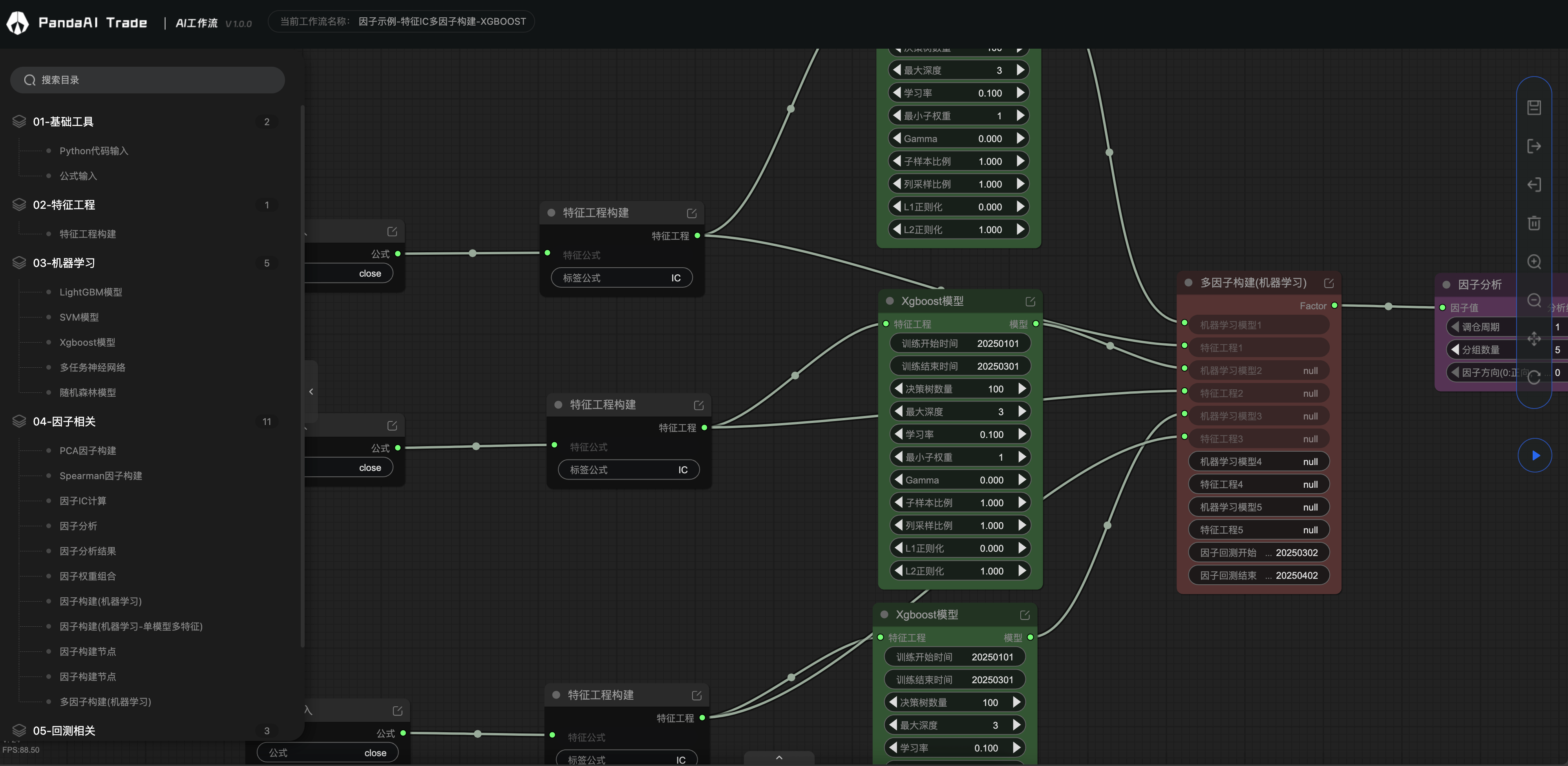
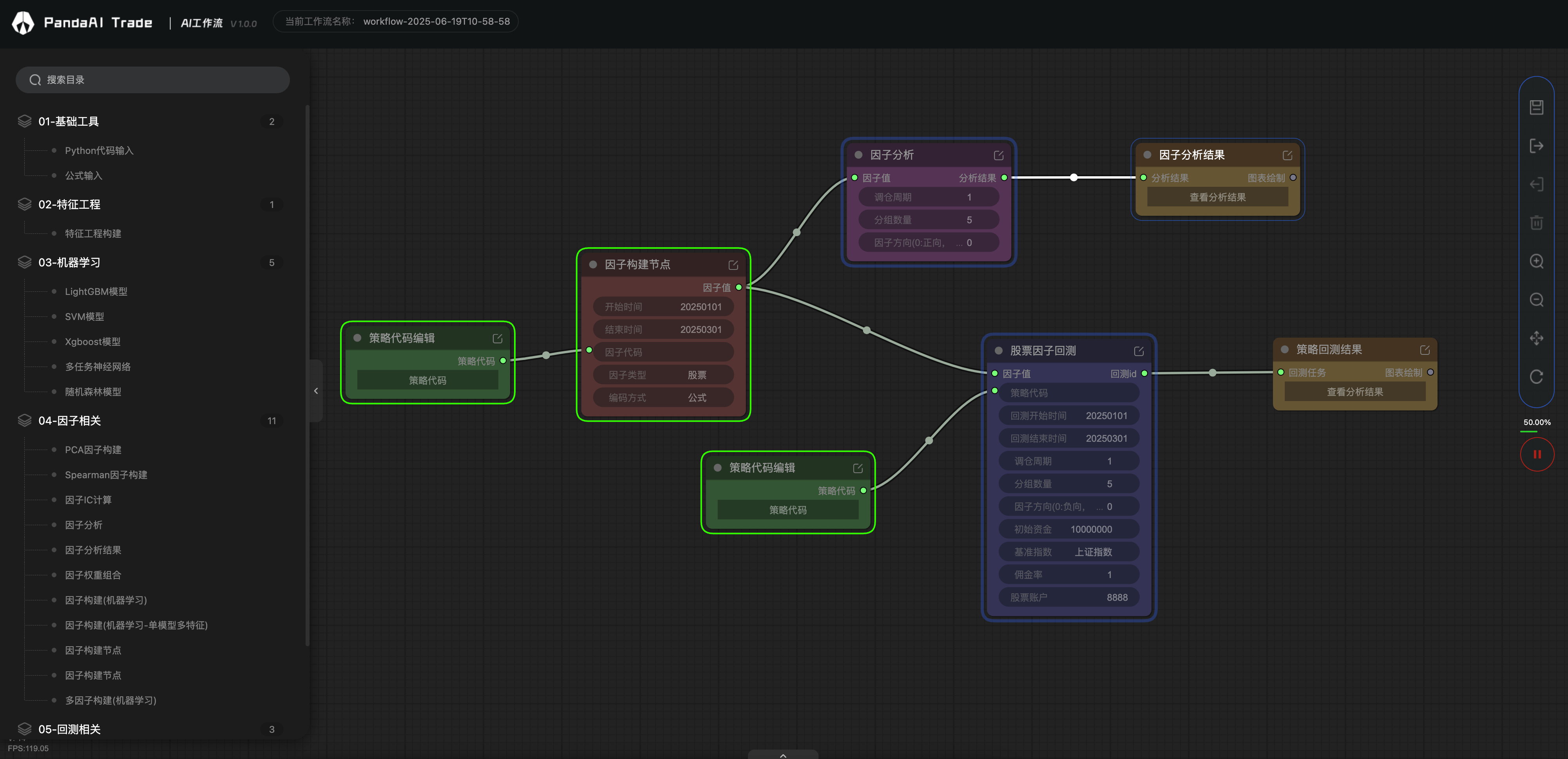
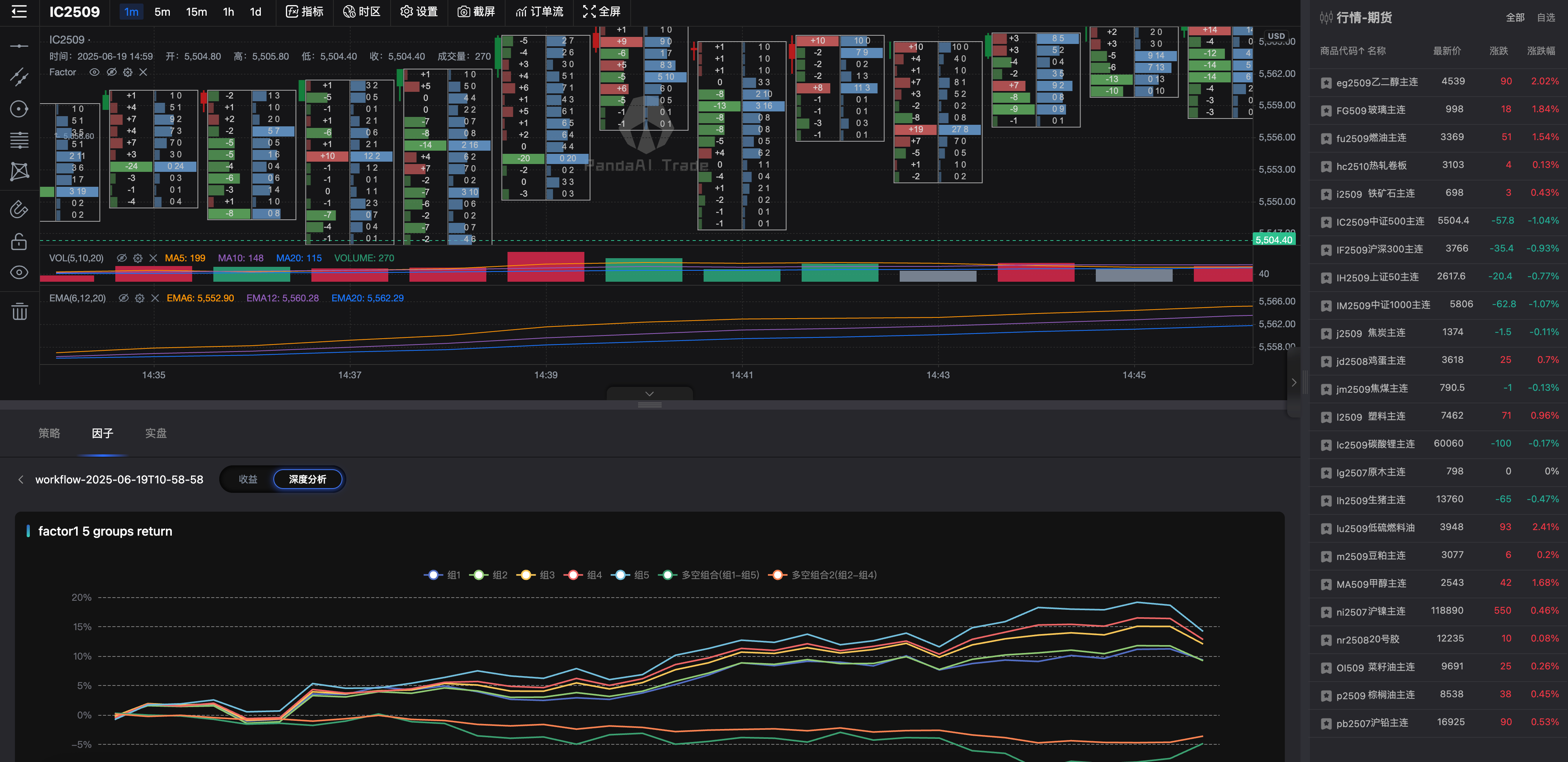
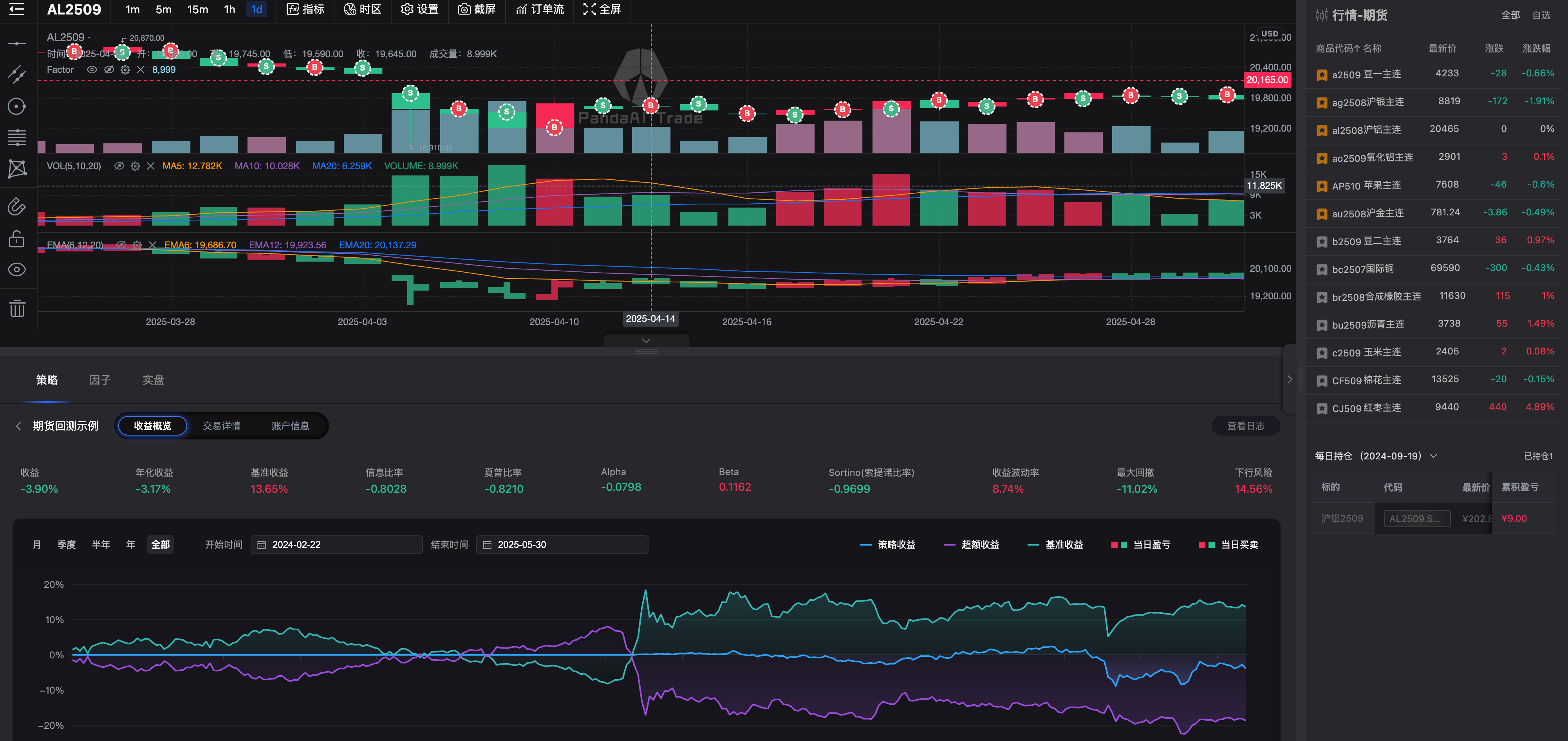
🔧 可视化工作流编排
- 基于节点的可视化工作流设计器,支持拖拽式构建复杂的量化研究和交易策略流程
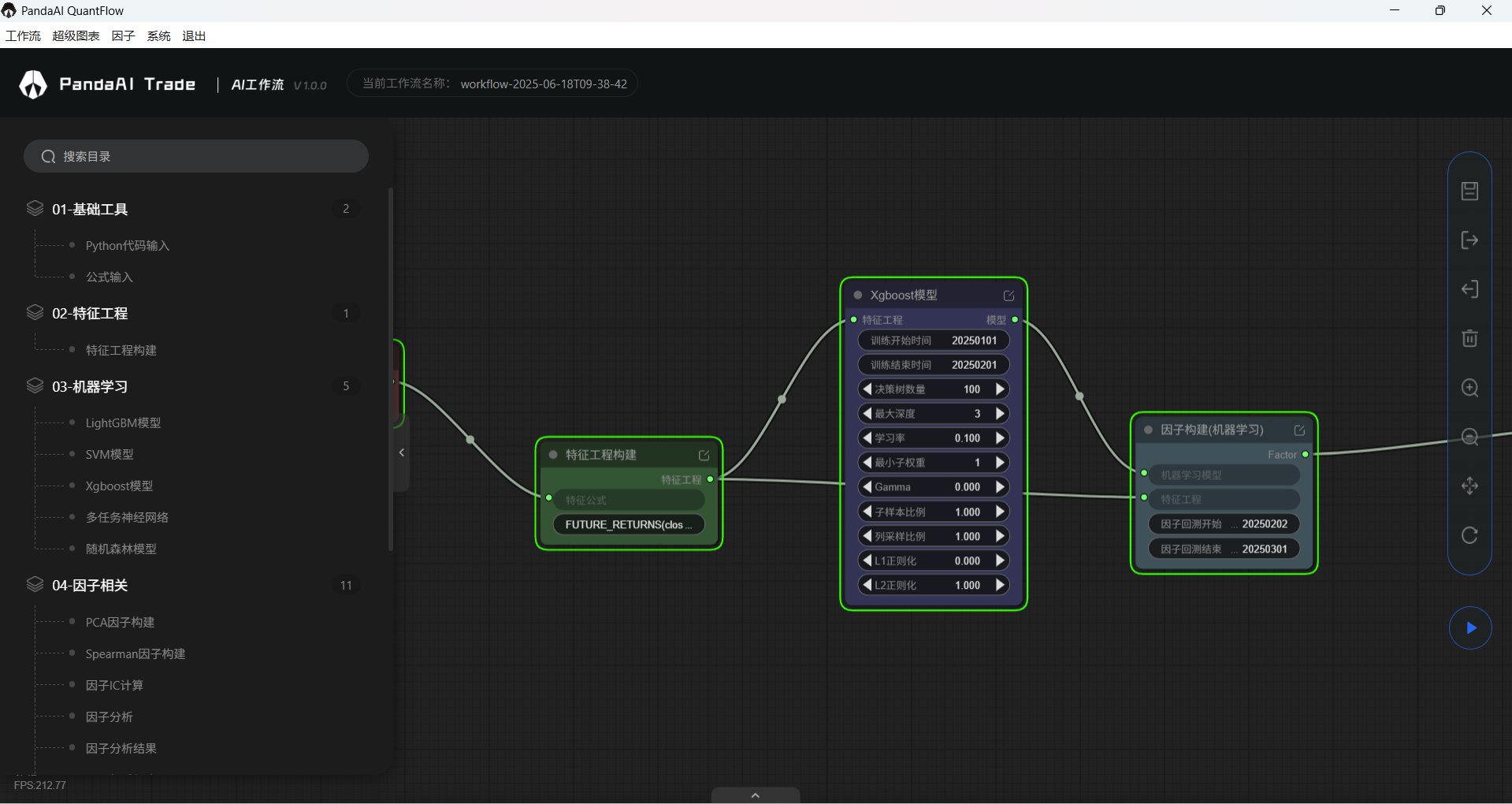
- 丰富的内置工作节点,涵盖数据处理、特征工程、机器学习、因子分析和回测等各个环节
- 灵活的插件系统,支持自定义工作节点开发和扩展
🤖 机器学习集成
- 支持主流机器学习算法:XGBoost、LightGBM、RandomForest、SVM、神经网络等
- 提供多任务学习(MTL)和深度学习解决方案
- 自动化模型训练、验证和预测流程
📈 因子分析与回测策略验证
- 高性能回测引擎,支持股票、期货
- 完整的事件驱动架构,精确模拟真实交易环境
- 兼容PandaFactor分析框架
🌐 企业级服务架构
- 基于FastAPI的高性能REST API服务
- 支持多用户工作流管理和权限控制
- 分布式任务执行,支持云端和本地部署
- 完善的日志系统和实时监控
- 量化研究:因子挖掘、策略开发、模型验证
- 算法交易:策略回测、实盘验证、风险管理
- 金融数据分析:市场研究、投资组合优化
- 机器学习应用:金融预测模型、智能投顾
- 微服务架构:模块化设计,易于扩展和维护
- 插件化设计:通过
@work_node装饰器轻松开发自定义节点 - 工作流支持json导入导出:通过json文件快速传播和复现工作流
- 容器化部署:支持Docker和Docker Compose快速部署
LLM支持
API代码式调用工作流
CTP实盘交易
QMT实盘交易
数字货币支持
- 若是您不想花时间搭环境,可以用我们打包好的客户端,一键解压,可直接运行,因为内置数据库和行情数据,文件略大。
内含工作流、超级图表、因子模块。
- MacOS 系统: [准备中]
- Windows 系统: 下载 Windows 安装包(因为文件大小限制,做了分包,请下载全部文件再解压)
- 安装 ANACONDA 环境 (官网下载)
- 下载并启动PandaAI提供的数据库(含有行情数据)
请联系小助理从网盘下载最新的数据库- MacOS 系统: 下载并解压后运行
chmod 600 conf/mongo.keybin/mongod -replSet rs0 --dbpath data/db --keyFile conf/mongo.key --port 27017 --quiet --auth - Windows 系统: 下载并解压后运行
bin\mongod.exe --replSet rs0 --dbpath data\db --keyFile conf\mongo.key --port 27017 --quiet --auth
- MacOS 系统: 下载并解压后运行
- 安装 panda_factor 相关依赖,并且启动factor服务
panda_factor还有若干功能,例如数据自动更新等,具体请查看(PandaFactor)
git clone https://github.com/PandaAI-Tech/panda_factor.git
cd panda_factor
pip install -r requirements.txt
pip install -e ./panda_common ./panda_factor ./panda_data ./panda_data_hub ./panda_llm ./panda_factor_server
python ./panda_factor_server/panda_factor_server/__main__.py
- 安装 panda_quantflow
git clone https://github.com/PandaAI-Tech/panda_quantflow.git
cd panda_quantflow
pip install -e .
- 启动 panda_quantflow 服务
python src/panda_server/main.py
- 打开 UI 图形界面
超级图表:http://127.0.0.1:8000/charts/
工作流:http://127.0.0.1:8000/quantflow/
- 开发者可以在项目目录
.src/panda_plugins/custom/中编写自定义插件, 以在工作流中使用 - 自定义插件需要继承
BaseWorkNode并实现input_model,output_model和run3 个方法 - 自定义插件示例 (更多示例在
.src/panda_plugins/custom/examples/中)from typing import Optional, Type from panda_plugins.base import BaseWorkNode, work_node from pydantic import BaseModel class InputModel(BaseModel): """ Define the input model for the node. Use pydantic to define, which is a library for data validation and parsing. Reference: https://pydantic-docs.helpmanual.io 为工作节点定义输入模型. 使用 Pydantic 定义, Pydantic 是一个用于数据验证和解析的库. 参考文档: https://pydantic-docs.helpmanual.io """ number1: int number2: int class OutputModel(BaseModel): """ Define the output model for the node. Use pydantic to define, which is a library for data validation and parsing. Reference: https://pydantic-docs.helpmanual.io 为工作节点定义输出模型. 使用 Pydantic 定义, Pydantic 是一个用于数据验证和解析的库. 参考文档: https://pydantic-docs.helpmanual.io """ result: int @work_node(name="示例-两数求和", group="测试节点") class ExamplePluginAddition(BaseWorkNode): """ Implement a example node, which can add two numbers and return the result. 实现一个示例节点, 完成一个简单的加法运算, 输入 2 个数值, 输出 2 个数值的和. """ # Return the input model # 返回输入模型 @classmethod def input_model(cls) -> Optional[Type[BaseModel]]: return InputModel # Return the output model # 返回输出模型 @classmethod def output_model(cls) -> Optional[Type[BaseModel]]: return OutputModel # Node running logic # 节点运行逻辑 def run(self, input: BaseModel) -> BaseModel: result = input.number1 + input.number2 return OutputModel(result=result) if __name__ == "__main__": node = ExamplePluginAddition() input = InputModel(number1=1, number2=2) print(node.run(input))
我们欢迎每一位用户加入节点贡献行列,共同点燃量化开源的火焰🔥
如果有新的节点需求,也欢迎进群告诉我们,只要有助于项目发展,我们都愿意免费支持开发。
panda_workflow/
├── src/                    # 所有源代码
│   ├── common/             # 通用工具和配置
│   ├── panda_ml/           # 机器学习组件
│   ├── panda_plugins/      # 插件系统
│   ├── panda_server/       # API服务
│   ├── panda_backtest/     # 回测系统
│   └── panda_trading/      # 交易执行系统
├── tests/                  # 测试目录
├── pyproject.toml          # 项目配置和依赖
├── Dockerfile              # Docker配置
└── docker-compose.yml      # Docker Compose配置

欢迎贡献代码、提出 Issue 或 PR:
- Fork 本项目
- 新建功能分支 git checkout -b feature/AmazingFeature
- 提交更改 git commit -m 'Add some AmazingFeature'
- 推送分支 git push origin feature/AmazingFeature
- 发起 Pull Request
感谢量化李不白的粉丝们对我们的支持
感谢所有开源社区的贡献者
本项目采用 GPLV3 许可证