

Sign, stamp, and export PDF documents in seconds directly in your browser.
Zero accounts. Zero cloud uploads. Zero subscriptions. 100% client-side privacy.



Every professional encounters this routine annoyance: you receive a contract, an invoice, a NDA, or a lease agreement. You just need to paste your handwritten signature PNG onto page 3, add today's date, and send it back.
What are your typical options?
- Commercial Cloud PDF SaaS: Services like Smallpdf or Adobe Online require creating an account, impose strict daily document quotas, demand expensive subscriptions, and most alarmingly: require uploading your confidential legal and financial documents to their cloud servers.
- Heavyweight Desktop Software: Installing bloated 1GB software suites that constantly prompt for cloud logins.
I built Simple PDF Sign out of personal necessity: a clean, instantaneous web utility that allows anyone to drop a PDF, paste a signature or company stamp, drag and resize it, and download the finished document in under 15 seconds.
Your files never leave your device. Every byte of PDF manipulation happens strictly inside your browser's local sandbox memory.
Watch the complete workflow in action:
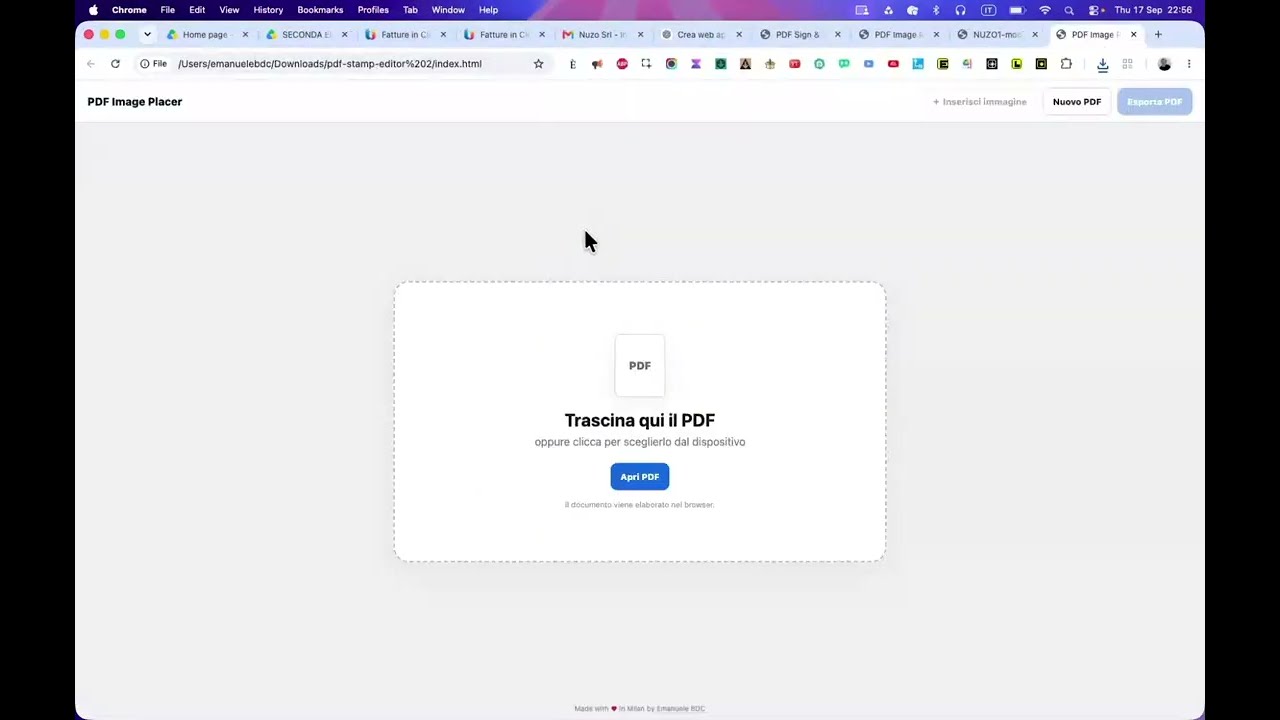
- Drop your PDF: Drag any multi-page PDF into the browser viewport.
- Add Signature or Stamp: Upload a transparent PNG/JPEG signature, digital company seal, or custom logo.
- Position & Scale: Move the signature freely across any page, adjust opacity, rotate, or resize to fit signature lines precisely.
- Instant Export: Download the newly flattened, production-ready PDF file immediately.
- 🔒 Absolute Client-Side Privacy:
- Leverages browser-native File API and Canvas rendering.
- No server backend. Works completely offline once loaded.
- 📄 Multi-Page Document Support:
- Smooth page navigation drawer for agreements of any length.
- Apply distinct signatures or stamps across different pages.
- ⚡ Zero Telemetry & Zero Bloat:
- No cookies, no tracking pixels, no advertising scripts.
- Lightweight and responsive on mobile tablets and desktop workstations.
# Clone the repository
git clone https://github.com/emaf205/SIMPLE-PDF-SIGN.git
cd SIMPLE-PDF-SIGN

# Open the standalone tool directly in your browser
open index.html
Or access the hosted version anytime at:
👉 https://emaf205.com/ideas/simple-pdf-sign/
Engineered by Emanuele BDC in Milan.
Built for professionals who care about privacy, speed, and digital sovereignty.
Distributed under the MIT License. Free for personal and commercial use.