Repository navigation
feat(dashboard): Add per-browser autocorrect setting for the composer - #2575
Merged
Merged
Conversation


Co-Authored-By: BYK <126780+BYK@users.noreply.github.com>
Co-Authored-By: BYK <126780+BYK@users.noreply.github.com>

|
The latest updates on your projects. Learn more about Vercel for GitHub.
|


Contributor
|
3 screenshot changes — 3 changed · 0 added · 0 removed Review screenshots in Frameshift
|
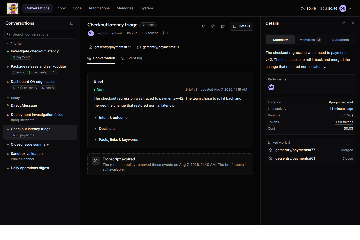
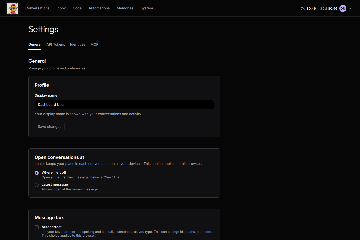
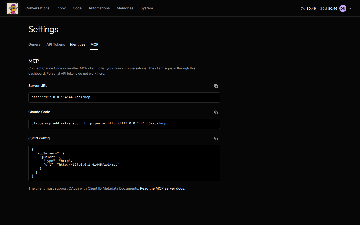

BYK
approved these changes
Nov 3, 2026

This branch was successfully deployed
This file contains hidden or bidirectional Unicode text that may be interpreted or compiled differently than what appears below. To review, open the file in an editor that reveals hidden Unicode characters.
Learn more about bidirectional Unicode characters
Sign up for free
to join this conversation on GitHub.
Already have an account?
Sign in to comment

Add this suggestion to a batch that can be applied as a single commit.This suggestion is invalid because no changes were made to the code.Suggestions cannot be applied while the pull request is closed.Suggestions cannot be applied while viewing a subset of changes.Only one suggestion per line can be applied in a batch.Add this suggestion to a batch that can be applied as a single commit.Applying suggestions on deleted lines is not supported.You must change the existing code in this line in order to create a valid suggestion.Outdated suggestions cannot be applied.This suggestion has been applied or marked resolved.Suggestions cannot be applied from pending reviews.Suggestions cannot be applied on multi-line comments.Suggestions cannot be applied while the pull request is queued to merge.Suggestion cannot be applied right now. Please check back later.
Mobile keyboards do not apply autocorrect suggestions in the conversation composer. Other text boxes on the same phone do. #1556 turned off autocorrect, spellcheck, and autocapitalize on the composer to protect ids, paths, and code.
This adds an Autocorrect checkbox under Settings → General → Message box. When it is on, the composer uses
autoCorrect="on",spellCheck, andautoCapitalize="sentences". When it is off, the composer works as it does today.junior:composer:autocorrect) and applies only to that browser, like "Open conversations at". This lets people turn it on for their phone and leave it off on desktop.autoComplete="off",enterKeyHint="send", andinputMode="text"do not change.I added a case to
e2e/settings.spec.ts. It turns the setting on and checks the composer attributes. I ran it with dashboard typecheck, lint, and the settings e2e specs. I did not test on a phone.via @BYK.
--
View Session in Sentry