





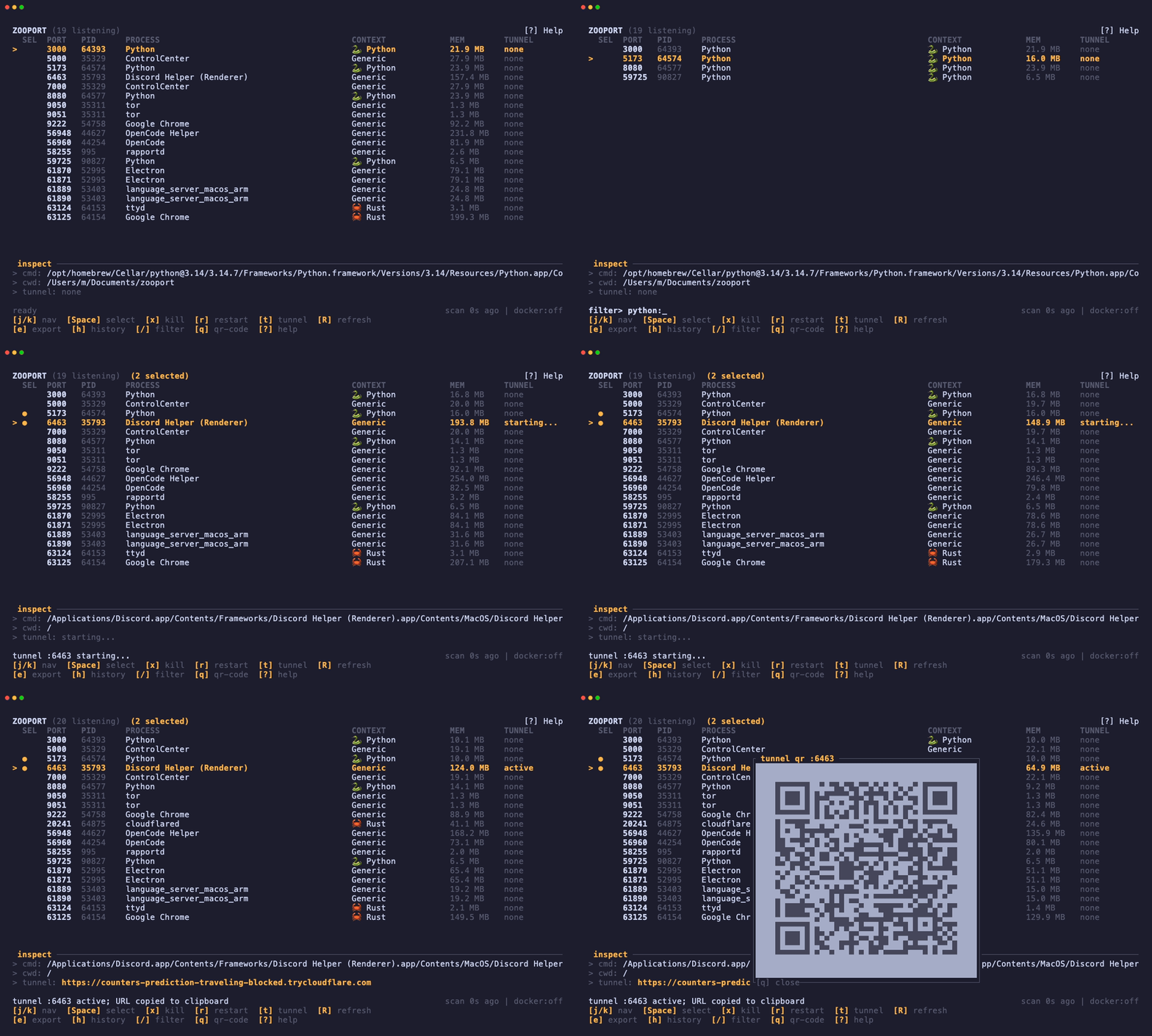
zooport lists every listening TCP socket, shows the process behind it, and lets you filter, kill, restart, export, or tunnel it without leaving the terminal. It's one Rust binary. No daemon, no browser, no required config.
 ZOOPORT (3 listening)                                       [?] Help
 SEL  PORT  PID     PROCESS        CONTEXT          MEM       TUNNEL
  ●   3000  4812    node           🐱 Node          82.4 MB   active
      5432  921     postgres       Generic          64.1 MB   none
      8080  5120    docker-proxy   🐳 my-api        12.8 MB   none
- Ports, with context. PID, process name, runtime, memory, command line, cwd, and transport. Runtime detection is based on the executable, process name, command line, and project files. If it can't tell, it says
Generic. - Animal badges. 🐳 Docker, 🦭 Podman, 🦀 Rust, 🦫 Go, 🐍 Python, 🐱 Node. Docker containers show the container name when
dockeris available. - Bulk actions.
Spacemarks rows.xandrthen apply to everything marked, or to the selected row if nothing is marked. - Live filters.
/filters by port, PID, process, command line, or cwd. Prefix withdocker:,podman:,rust:,go:,python:,node:, orgeneric:to narrow by runtime. - Cloudflare quick tunnels.
tstartscloudflared tunnel --url http://127.0.0.1:<port>, grabs thetrycloudflare.comURL from stderr, and copies it to your clipboard. - QR codes in the terminal.
qrenders the active tunnel URL as a half-block QR code. No image protocol needed. - Tunnel history.
hopens a session history with status, start time, duration, and URL. - Markdown export.
ecopies the filtered table to the clipboard as Markdown. zooport.toml. Change the accent color and hide ports or processes you don't care about.- Careful process control. Before acting on a PID, zooport checks that it still owns the socket. Kill asks the process to stop, waits, then force-kills it if needed. Restart captures argv, cwd, and environment before killing, then spawns the new process detached with null stdio.
- No shared state. The scanner, lifecycle actions, tunnel manager, and clipboard all run off the render loop and talk to the UI through owned channel messages.
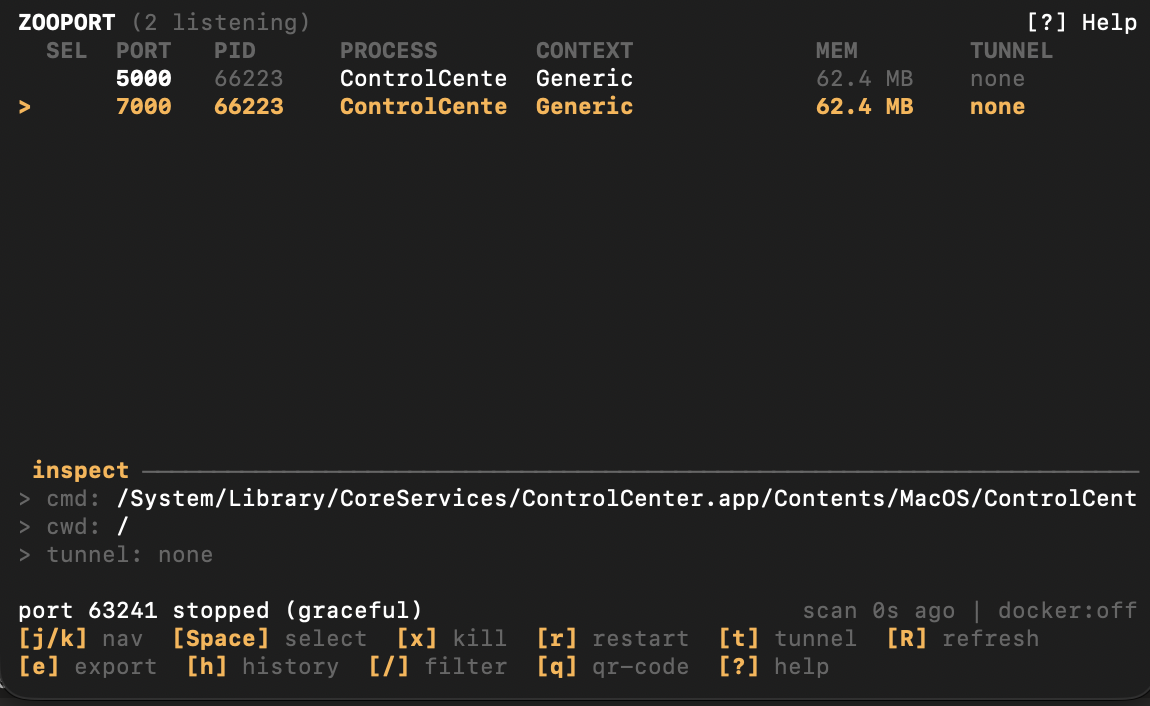
cargo install zooportDownload the archive for your platform from Releases.
macOS and Linux:
brew tap highstat/tap
brew install highstat/tap/zooportgit clone https://github.com/highstat/zooport.git
cd zooport
cargo build --release
./target/release/zooportYou need a stable Rust toolchain. cloudflared is only needed for tunnels.
Run zooport. Press ? for help, / to filter, t to tunnel the selected port, and q to quit from the main view. Esc clears a filter; on an empty screen it quits. Ctrl-C always quits.
| Key | Action |
|---|---|
j / ↓ |
Move down |
k / ↑ |
Move up |
g / Home |
First port |
G / End |
Last port |
Space |
Mark / unmark |
x |
Kill marked ports, or the selected port |
r |
Restart marked ports, or the selected port |
t |
Start / stop a quick tunnel |
q |
Show QR for the selected active tunnel |
e |
Copy filtered rows as Markdown |
h |
Open tunnel history |
c |
Clear history (inside the history modal) |
/ |
Filter |
Enter |
Apply filter and return to navigation |
Esc |
Clear filter / close the current modal |
R / F5 |
Refresh now |
? |
Help |
Ctrl-C |
Quit from any mode |
x and r block while a batch is running. You can't queue a second lifecycle action.
Filters are case-insensitive and match the port, PID, process name, runtime context, command line, and working directory.
3000          any row containing "3000"
python        any row containing "python"
docker:       rows detected as Docker
podman:       rows detected as Podman
rust:         rows detected as Rust
go:           rows detected as Go
python: api   Python rows that also contain "api"
node: 5173    Node rows that also contain "5173"
Runtime prefixes: docker:, podman:, rust:, go:, python:, node: / nodejs:, generic:.
Select a port and press t. zooport starts a Cloudflare quick tunnel and copies the public URL to your clipboard. Press q for a QR code, or t again to stop it.
Install cloudflared if you don't have it:
brew install cloudflared                  # macOS
winget install --id Cloudflare.cloudflared # Windows
On Debian/Ubuntu, follow Cloudflare's current repository instructions rather than using an old package.
Quick tunnels are public and have no authentication. Don't expose anything sensitive. If you need access control or a stable hostname, use a named Cloudflare Tunnel instead.
If the clipboard isn't available, the tunnel still works and the URL stays visible in the UI.
zooport.toml is optional:
# Hex (#RRGGBB or 0xRRGGBB) or a named terminal color.
accent = "#FFB347"

# Hide these ports completely.
ignored_ports = [5432, 9229]

# Case-insensitive process names to hide.
ignored_processes = ["Spotlight", "mDNSResponder"]
zooport uses the first file it finds. In each directory, zooport.toml wins over the legacy config.toml.
$ZOOPORT_CONFIG./zooport.toml%APPDATA%\zooport\(Windows)$XDG_CONFIG_HOME/zooport/$HOME/.config/zooport/
Invalid config falls back to defaults. It won't stop the TUI from starting.
| Platform | Status |
|---|---|
| macOS Intel / Apple Silicon | Supported |
| Linux x86_64 / ARM64 | Supported |
| Windows x86_64 | Supported |
Clipboard access depends on the desktop session. Everything else uses native process and socket APIs.
scanner task ────────┐
lifecycle tasks ─────┤
tunnel manager ──────┤──> event loop (owns App and the terminal)
clipboard thread ────┘
- The event loop owns
App. Nothing else touches it. - The scanner returns an owned
ScanSnapshot; it never lendssysinfo::Systemor kernel state to the UI. - Kill/restart work runs in short-lived Tokio tasks with cloned
PortEntryvalues, so a slowSIGTERMcan't block rendering. - Each
cloudflaredchild is owned by a tunnel worker. The manager ignores events from replaced tunnels by generation ID. - Shutdown stops tunnels and reaps children before the terminal is restored.
The module docs in src/ go into the ownership boundaries in more detail.
cargo fmt --all -- --check
cargo clippy --all-targets --all-features -- -D warnings
cargo test --all-targets --all-features
cargo run
CI runs fmt and Clippy on Linux and tests on Linux, macOS, and Windows. A version tag like v0.1.0 builds release archives for Linux x64/ARM64, macOS Intel/Apple Silicon, and Windows x64, with SHA-256 checksums.
MIT. See LICENSE.