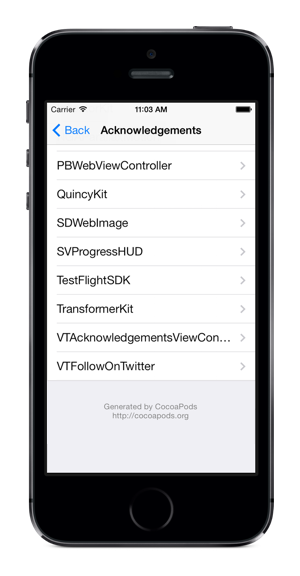
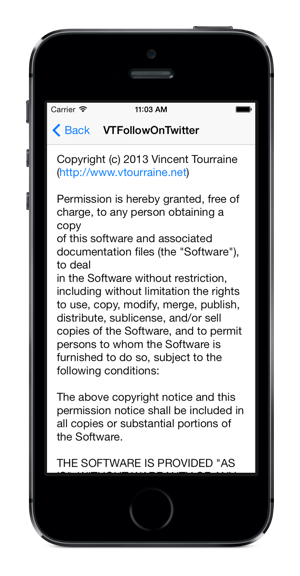
Ready to use “Acknowledgements”/“Licenses”/“Credits” view controller for CocoaPods.
Written in Swift “2.0” (for Objective-C, you can use VTAcknowledgementsViewController).
Tested on Travis CI:

This project is only useful if you use CocoaPods, so let’s assume that you’re indeed using CocoaPods.
- Add
pod 'AcknowList'in yourPodfile. - Import the
Pods-acknowledgements.plistfile from the generatedPods/Target Support Filesfolder to your main app project (so you need to runpod installat least once before using this pod; don’t copy the file itself, just add a reference).
This file is generated atPods/Target Support Files/Pods-{project}/Pods-{project}-acknowledgements.plist.
The AcknowListViewController instance is usually pushed to an existing UINavigationController.
let viewController = AcknowListViewController()
if let navigationController = self.navigationController {
  navigationController.pushViewController(viewController, animated: true)
}If your .plist file is named something other than Pods-acknowledgements.plist (e.g. if you’re using fancy build targets), you can initialize the view controller with a custom path.
let path = NSBundle.mainBundle().pathForResource("Pods-AcknowExample-acknowledgements", ofType: "plist")
let viewController = AcknowListViewController(acknowledgementsPlistPath: path)AcknowList is written in Swift 2.0, requires iOS 8.0 and above, Xcode 7.0 and above, and uses ARC.
AcknowList was created by Vincent Tourraine.
AcknowList is available under the MIT license. See the LICENSE file for more info.