

End-to-end testing for native Android apps over adb, with Maestro-style YAML flows.
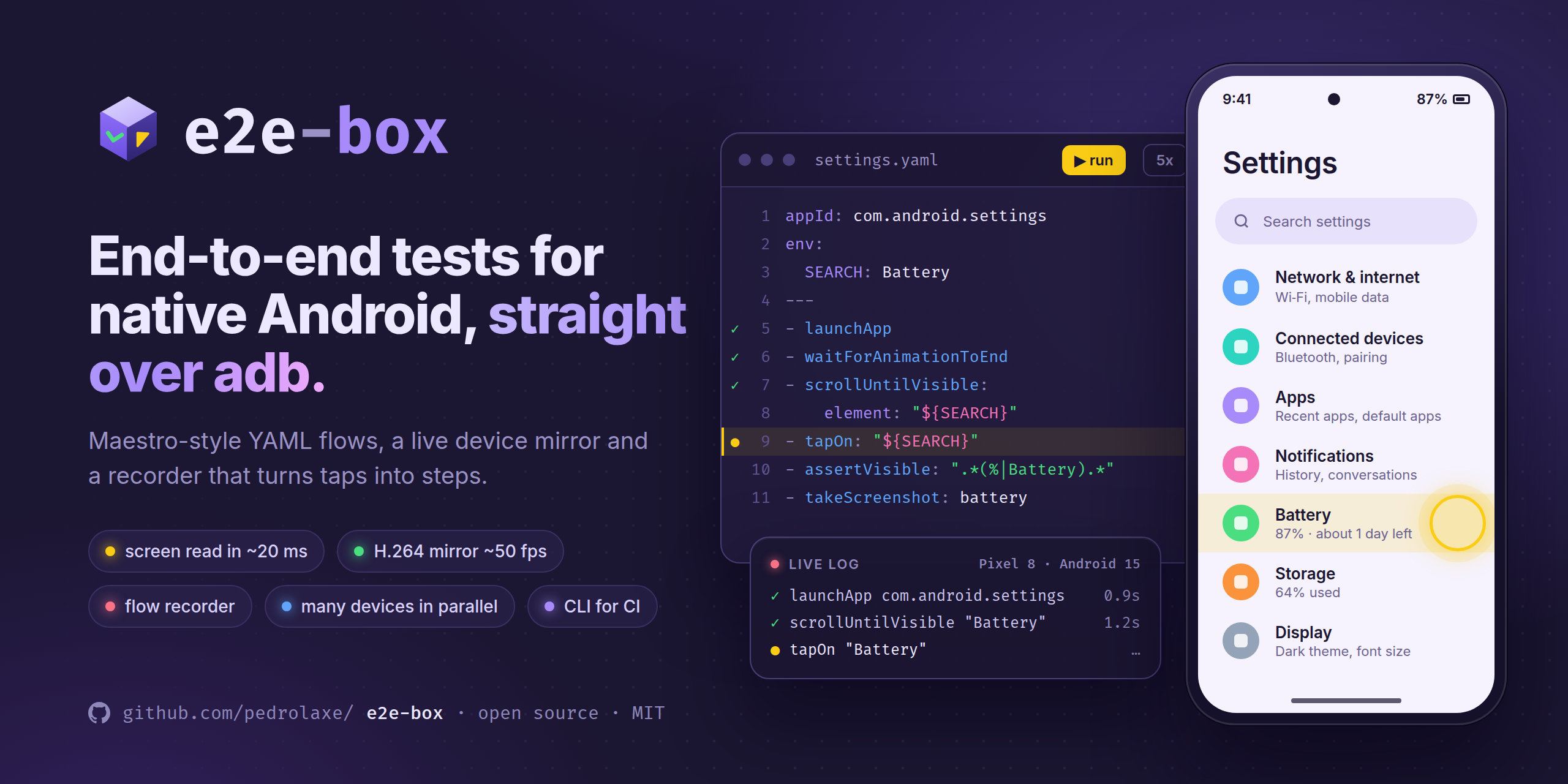
A local Next.js dashboard with live device mirroring, a live log, a step queue and a flow recorder.


Just the CLI (in your app's repo, or in CI):
npx e2e-box # runs the flows in .e2e-box/ or .maestro/The dashboard (mirror, recorder, editor) runs from a clone:
git clone https://github.com/pedrolaxe/e2e-box.git && cd e2e-box
pnpm install
pnpm dev            # http://127.0.0.1:3334
Requirements: adb (Android SDK platform-tools) and an Android device with USB debugging turned on (or an emulator).
adb is looked up in ADB_PATH, ANDROID_HOME, %LOCALAPPDATA%\Android\Sdk and finally on the PATH.
The dashboard is available in English and Brazilian Portuguese: the EN/PT switch at the top changes it and remembers your choice; without one, it follows the browser language. The engine log and the CLI output are in Portuguese for now.
To read the screen quickly, e2e-box pushes a small agent (agent/dist/e2e-box-agent.jar, ~5KB) to
/data/local/tmp and runs it with app_process (no APK install). It keeps the accessibility connection
open and answers in ~20ms, versus 1–3s for uiautomator dump; it also types accented text straight into
the focused field (no ADBKeyboard needed). It starts on the first screen read and is pushed again when the jar changes.
- With the agent, the engine waits for the screen to settle (two identical reads) after each action instead of
fixed pauses. Without it (
E2E_BOX_NO_AGENT=1, or if it fails to start), it falls back touiautomator dumpand pauses. - While the agent is connected, an external
uiautomator dumpdoes not work (only one client at a time). - Security: each session starts its own agent (stopping previous ones) with a random socket name and secret;
the agent only accepts connections from
shell/root, and both sides prove the secret via HMAC before any command. Other apps on the device cannot read the screen or receive what is typed. - Only one process runs flows per device: the dashboard and the CLI would kill each other's agent. Whoever comes second gets a notice saying who is running, and the inspector and recorder stay locked on that device until it finishes.
- Rebuild after changing
agent/src:node agent/build.mjs(JDK 17+ and Android SDK with build-tools).
e2e-box.config.json lists the flow folders. It ships with Exemplos (./flows), which opens Settings and runs
on any Android device.
For your app, the best setup is to keep the flows in the app's repo, in .e2e-box/ or .maestro/, and clone
e2e-box next to it. The + in the sidebar suggests sibling folders (pointing to whichever of .e2e-box/ or .maestro/
already exists) and detects the appId of Expo/React Native apps; or edit the file:
{ "id": "my-app", "name": "My app", "dir": "../my-app/.maestro", "appId": "com.company.myapp" }With no workspaces in e2e-box.config.json (or no file at all), e2e-box looks for .e2e-box/ and .maestro/ in the
folder it runs from and uses each one as a workspace, with the appId from app.json. A config.yaml at the root of the
folder (Maestro's workspace config) is not listed as a flow.
Test usernames and passwords go in e2e-box.local.json (kept out of git), per workspace; see e2e-box.local.example.json.
Files in subfolders show up as subflows (called with runFlow).
+on a workspace creates the file.- On the mirror, pick a mode:
- Inspect: clicking shows the element (text, desc, id) and suggests steps (
tapOn,assertVisible,point). - ● Record: every tap/swipe goes to the device and becomes a YAML step at the cursor line.
- Vertical scrolling becomes
scrollUntilVisibleup to the element of the next tap (orscrollif there is none). - Text that changes becomes a regex: a greeting with a name (
"Hello .*") goes in that way; numbers ("Orders \(\d+\)") are offered as an option. - Tapping a text field focuses the "type on the device" box, and whatever you type becomes
inputText. - Stop with ■ Stop and save, the ■ REC badge on the screen, or Esc (saves the YAML).
- Vertical scrolling becomes
- Control: just controls the device.
- Inspect: clicking shows the element (text, desc, id) and suggests steps (
- The "type on the device" field generates
inputText; the back/hide keyboard/↵ buttons generateback/hideKeyboard/pressKey. Ctrl+Ssaves,Ctrl+Enterruns. If the---between the header and the steps is missing, e2e-box adds it.
The mirror uses video (screenrecord in H.264, decoded in the browser with WebCodecs, ~20–50 fps) and falls back
to screenshots (screencap, ~1 fps) if the browser does not support it or the video fails; the button under the device
switches between them. Only one video at a time: the tab that opens the video keeps it, the other switches to screenshots and
takes the video back when you return to it.
Each run is stored in runs/<date>/ with a report.json; on failure, also falha.png and falha-hierarquia.xml.
- Passed without checks: if no step verified the result, the dashboard shows "Passed without checks" instead of green, and
the CLI warns.
assertVisible,assertNotVisible,assertTrueandextendedWaitUntilcount; checks done by the precondition do not. - Fragile steps: the editor flags
tapOn: "", the screen root (id: action_bar_root) and taps bypoint. When the flow runs, the engine reads the element under the tap and the editor offers to replace the step with a text selector. - Precondition:
onFlowStartin the header runs before the steps. If it fails, the error says the precondition was not met instead of the flow tapping around on the wrong screen. Example:onFlowStart: [{ runFlow: subflows/go-home.yaml }]. - Run part of a flow: with the cursor on a step, ▶ Step N runs only that step and ▶ From here runs to the end, on
whatever screen the device is on (without
onFlowStart). Partial runs do not change the flow's status dot in the list. - Run details: clicking a run opens its timeline, with a screenshot per step, each step's log and, on failure, the error and what was on screen. Screenshots are kept for the 30 most recent runs; the CLI does not take them.
- Flakiness: the 5x button runs the flow five times in a row and shows how many passed and which step failed.
- Multiple devices: each one has its own run. Pick the device at the top and run; when you switch, the dashboard shows the
other device's log and steps, and the list marks which ones are
running. The mirror shows one device at a time. - Device disconnected: the flow stops immediately with a disconnected-device error (no waiting for timeouts, no
retry, no evidence). The dashboard waits for the same device to come back, and the mirror and agent reconnect on their own. - Rotated screen: the engine tracks rotation on every step (
%points and "on screen" checks) and the mirror reopens in landscape, with taps landing in the right place.
Published on npm with no dependencies: it only needs Node 18+ and adb. Use npx e2e-box, or add it to your app with
npm i -D e2e-box and call e2e-box from a script. Inside the e2e-box repo, pnpm e2e runs the same CLI from source.
npx e2e-box                       # no target: the .e2e-box/ and .maestro/ folders in the current directory
npx e2e-box .maestro/login.yaml
npx e2e-box .maestro/ -e USER=test -v
npx e2e-box .maestro/ --all-devices   # on every connected device, at the same time
npx e2e-box my-app:login.yaml     # <workspace>:<file>, with an e2e-box.config.json
Exits with code 1 if any flow fails and 2 if it cannot start (no device, or the device is busy).
-d <serial> picks the device; repeat it for several, or use --all-devices. Each device runs the flows in sequence,
devices run in parallel, and each output line starts with the serial. Evidence for failed runs goes to runs/.
name: e2e
on: [push]
jobs:
  android:
    runs-on: ubuntu-latest
    steps:
      - uses: actions/checkout@v4
      - uses: actions/setup-node@v4
        with:
          node-version: 22
      - name: Enable KVM
        run: |
          echo 'KERNEL=="kvm", GROUP="kvm", MODE="0666", OPTIONS+="static_node=kvm"' | sudo tee /etc/udev/rules.d/99-kvm4all.rules
          sudo udevadm control --reload-rules
          sudo udevadm trigger --name-match=kvm
      - uses: reactivecircus/android-emulator-runner@v2
        with:
          api-level: 34
          arch: x86_64
          script: |
            adb install -r app-release.apk   # your build
            npx e2e-box
      - uses: actions/upload-artifact@v4
        if: failure()
        with:
          name: e2e-runs
path: runs/| Command | Notes |
|---|---|
launchApp |
appId, clearState, stopApp, permissions (grants the denied ones) |
stopApp, killApp, clearState |
|
tapOn, doubleTapOn, longPressOn |
text, id, index, point: "50%,89%", repeat, optional, relative (below, above, leftOf, rightOf, childOf, containsChild) |
inputText, inputRandom*, eraseText, copyTextFrom, pasteText |
accents through the agent; without it, through ADBKeyboard if it is the active keyboard, or without accents (with a warning). Text from ${VAR} shows as ••• in the log |
pressKey, back, hideKeyboard |
Enter, Back, Home, Backspace, Tab, Escape, Volume… |
scroll, swipe, scrollUntilVisible |
direction, start/end, from, timeout, visibilityPercentage |
assertVisible, assertNotVisible, assertTrue, extendedWaitUntil |
waits up to lookupTimeoutMs (7s) |
runFlow |
file, commands, when: visible/notVisible/platform, env |
repeat, retry |
times, while, maxRetries |
waitForAnimationToEnd, takeScreenshot, openLink |
|
wait: 1000 |
e2e-box extension (pause in ms) |
Variables: ${NAME} comes from the header's env:, the workspace env, runFlow, or the env field in the dashboard / -e in the CLI.
Text matching works like Maestro: a case-insensitive regex that must match the whole text, against text, content-desc and hint.
Not supported yet (skipped with a warning): evalScript, runScript, setLocation, travel, addMedia, video recording and AI commands.
Security: the API only accepts calls from its own page (local Host, the app's Origin and JSON); workspaces must live inside the folder that contains e2e-box, and subflows inside their workspace.
Issues and pull requests are welcome: see CONTRIBUTING.md for setup and conventions, and CHANGELOG.md for what changed in each version. Please report security issues privately, as described in SECURITY.md. This project follows a code of conduct.