


Robust, parallel triangle and tetrahedral mesh generation and editing. Each algorithm is written as a set of local operations (split, collapse, swap, smooth), the invariants every operation must keep, and the rules that update attributes. The toolkit schedules the operations in parallel, checks the invariants, and rolls back any operation that breaks them.
Documentation, tutorials and examples: https://wildmeshing.github.io/wildmeshing-toolkit/
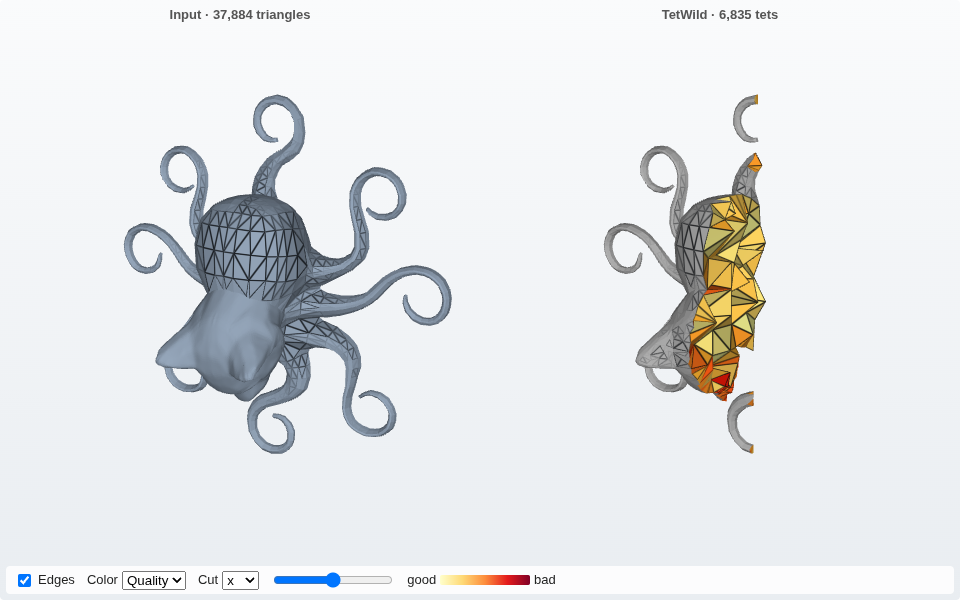
| Directory | Contents |
|---|---|
src/wmtk |
The core library: triangle and tet mesh connectivity, local operations with rollback, the parallel scheduler, exact and sampled envelopes, rational positions, energies, mesh I/O, operation histories |
components |
The algorithms built on the library, each configured by JSON options checked against its *_spec.json |
app |
wmtk_app, the command line that runs any component from a JSON file |
python |
The wildmeshing Python package: every component, on files or on NumPy arrays |
tests |
Unit, component and integration tests, in C++ and Python |
docs |
The documentation site, its tested examples, and design notes |
| Component | Input → output | What it does |
|---|---|---|
shortest_edge_collapse |
triangle mesh → triangle mesh | Simplification by collapsing the shortest edges first (Hoppe 1996) |
qslim |
triangle mesh → triangle mesh | Simplification by quadric error (Garland and Heckbert 1997) |
isotropic_remeshing |
triangle mesh → triangle mesh | Uniform remeshing to a target edge length, keeping feature curves (Botsch and Kobbelt 2004) |
tetwild |
triangle soups → tet mesh | Robust tetrahedral meshing of imperfect surfaces (TetWild) |
triwild |
curve networks → triangle mesh | Robust 2D triangulation of curves (TriWild) |
simwild |
surfaces or curves → multi-region mesh | Multi-region meshing, and region editing: remeshing, hole filling, sealing, overlap resolution, tag replacement |
topological_offset |
tagged tet mesh → tagged tet mesh | A region at a target distance around a selection (Topological Offsets); 2D input is refused for now |
manifold_extraction |
tagged mesh → tagged mesh | A manifold boundary for a selected region |
tracking |
operation history → map | Maps points and fields between a remeshing's input and output |
prismatic_mesh |
offset tet mesh → prism/tet mesh | Work in progress. Thins the offset band around a solid to a target thickness and rebuilds it as prisms |
c1_simplification |
surface, tet and UV meshes → simplified meshes | Work in progress. Simplification within a deviation threshold, for C1 (Clough–Tocher) surfaces |
Every option of every component is in the reference.
Requirements: CMake 3.25 or newer, a C++17 compiler, and GMP (apt install libgmp-dev,
brew install gmp; on Windows CMake downloads it). CMake downloads every other dependency.
The command line, the C++ library and the tests:
git clone https://github.com/wildmeshing/wildmeshing-toolkit.git
cd wildmeshing-toolkit
cmake -S . -B build -DCMAKE_BUILD_TYPE=Release
cmake --build build -j
The Python package, from PyPI (wheels for macOS arm64, Linux x86_64 and arm64, and Windows x86_64):
python -m pip install wildmeshingor built from the repository root with python -m pip install .. Versions before 2.0.0 on PyPI
are the older wildmeshing-python bindings.
See Installation
for the options.
From the command line, with a JSON file of options (input paths relative to the file, outputs written to the working directory):
./build/app/wmtk_app --list                         # the components
./build/app/wmtk_app --options isotropic_remeshing  # one component's options
./build/app/wmtk_app -j data/integration_tests/isotropic_remeshing_bunny.json
{
"application": "isotropic_remeshing",
"input": "../models/bunny.obj"
}From Python, on files or on NumPy arrays:
import wildmeshing as wm

# files in, files out
wm.tetwild({"input": ["bunny.obj"], "output": "bunny_tets"})

# arrays in, arrays out
outputs, report = wm.qslim({"input": "surface", "target_rel": 0.1},
                           {"surface": wm.read_mesh("bunny.obj")})
V = outputs["mesh"]["V"]
From C++, linking wmtk::qslim:
#include <wmtk/components/qslim/qslim.hpp>
#include <wmtk/io/mesh_io.hpp>

wmtk::MeshMap meshes{{"surface", wmtk::io::read_mesh("bunny.obj")}};
auto [outputs, report] = wmtk::components::qslim::qslim(
    {{"input", "surface"}, {"target_rel", 0.1}}, meshes);
wmtk::io::write_mesh("bunny_simplified.vtu", outputs.at("mesh"));
A first run walks through the three.
See CONTRIBUTING.md and the developer guide.
The toolkit is described in Declarative Specification for Unstructured Mesh Editing
Algorithms, ACM Transactions on Graphics (SIGGRAPH Asia 2022); see
Citing for the BibTeX and the
papers of each algorithm. The API has changed since; the version the paper describes is tag
1.0.
MIT. The libraries the toolkit builds with have their own licenses.