
sugi is an anonymous image and short-video host that runs entirely on Cloudflare: one Worker, one R2 bucket for the files and one D1 database for albums. No sign-up for pictures (short videos need an account by default): drop one in and get a direct link, kept forever or deleted after 1 hour, 12 hours or 3 days. It comes with a bilingual (Chinese and English) website, an HTTP API, a command-line tool and an MCP server, and a hamster that stuffs everything into its cheeks.
The instance run by its authors is https://sugi.moe. This repository deploys your own: your name, your domain, your rules.
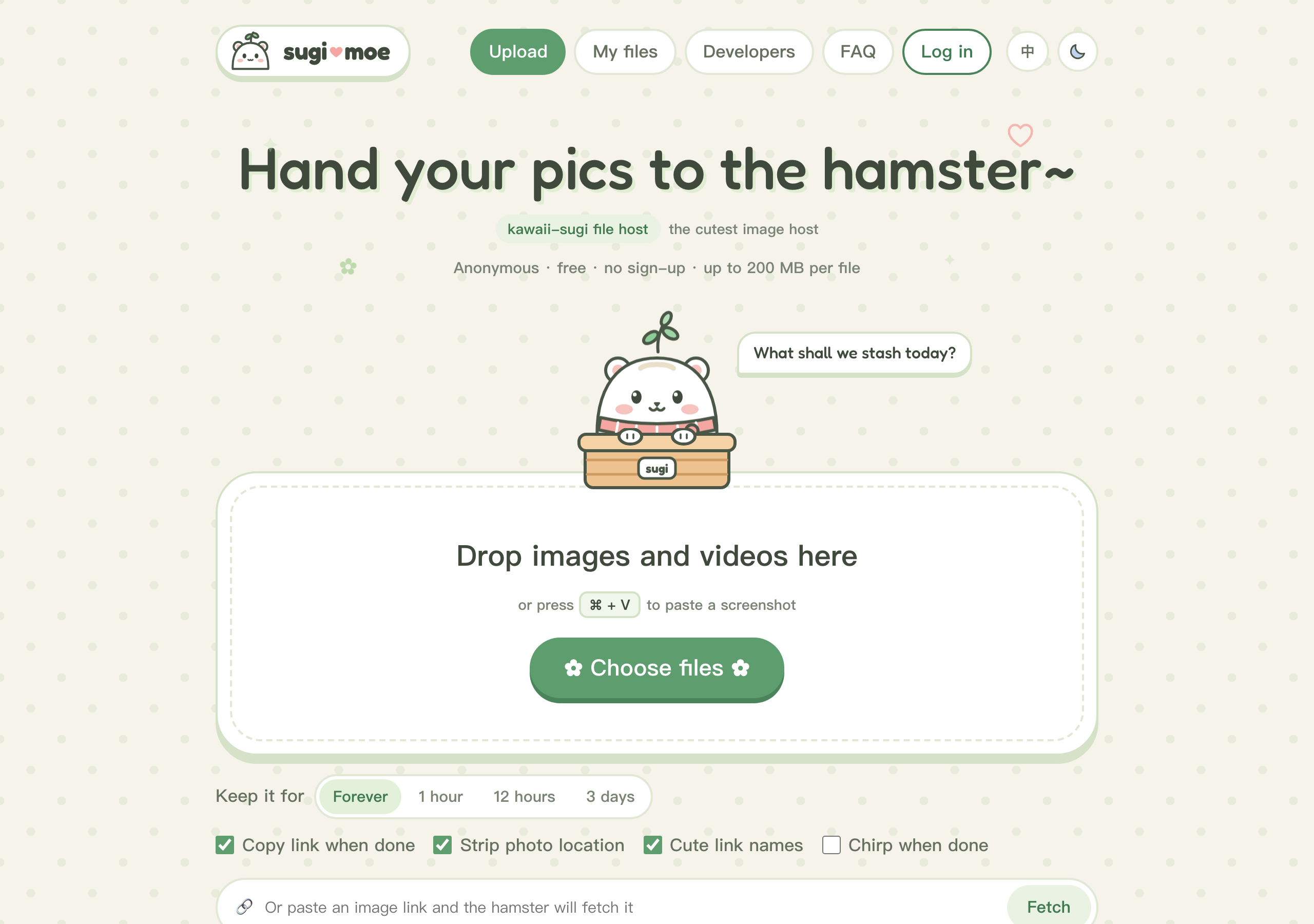
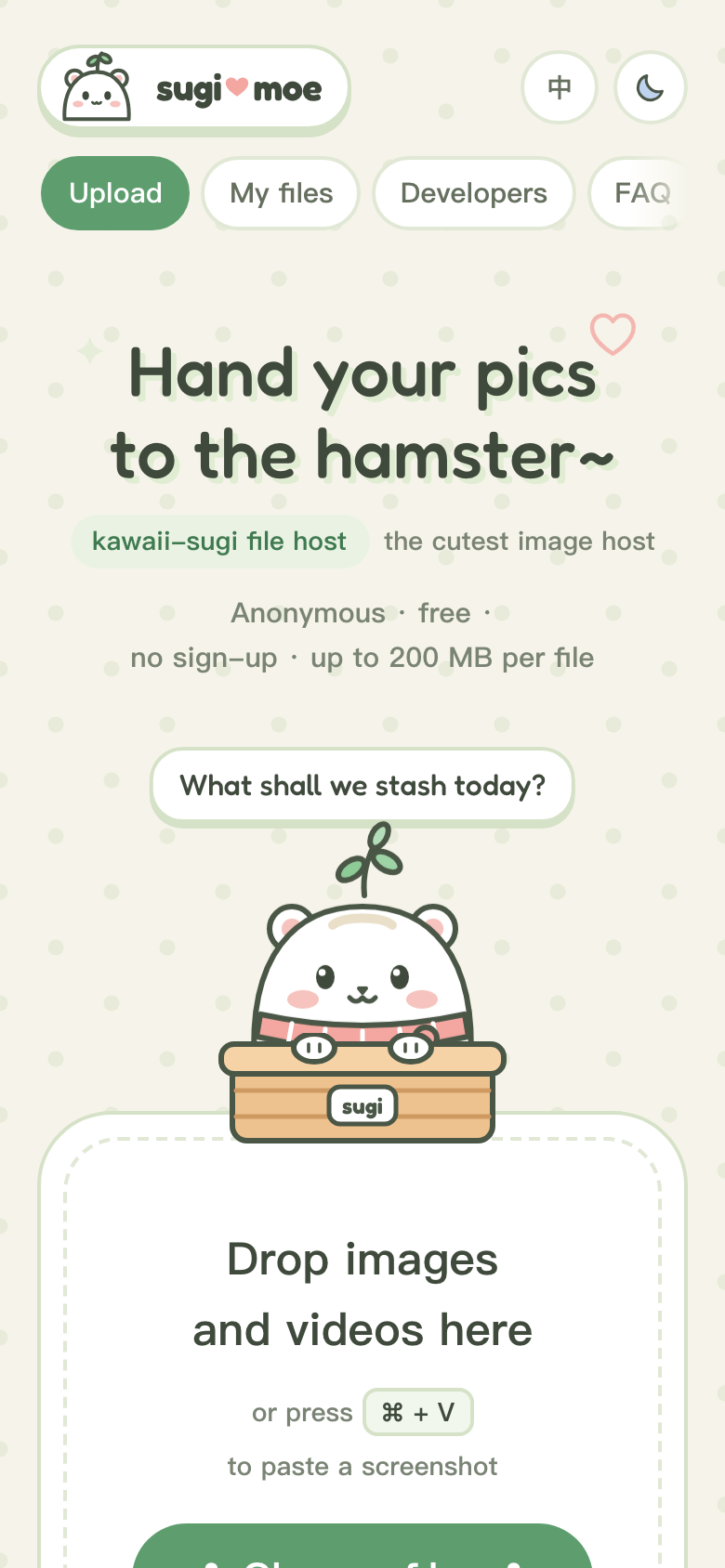
- Images and short videos: PNG, JPEG, WebP, GIF, AVIF, MP4 and WebM, up to 200 MB per file. The type is decided from the file's bytes, never from its name or Content-Type; everything else (SVG, HTML, PDF, archives…) is refused. Videos need an account by default (
VIDEO_UPLOADS), since Cloudflare's CSAM Scanning Tool checks images only. - Uploads by drag and drop, file picker, paste, or a link to import. Files over 90 MB are uploaded in chunks (R2 multipart), so they fit under Cloudflare's request body limit.
- Permanent or temporary links (1 h / 12 h / 72 h), random ids (
k3x9qa2m) or cute ones (snow-sesame-19), share pages with copyable Markdown, HTML and BBCode, and albums that bundle files behind one link. - "My files" keeps the history and delete tokens in the browser, so no account is needed. Location metadata (EXIF, XMP) is stripped in the browser before upload by default.
- Optional accounts (
FEATURE_ACCOUNTS): log in by email link, GitHub, Google or a passkey; uploads made while logged in are recorded under the account, My files syncs across devices, and personal API tokens work with the CLI and MCP. - No IP addresses are stored. Each upload records an HMAC of the uploader's IP under a server-side key, which is enough to remove everything from one abusive source and nothing more.
- Per-IP rate limits, strict security headers (nonce-based CSP,
nosniff, files served from a separate origin with their own CSP), no third-party scripts, fonts or analytics. curl -F file=@cat.png https://<your host>/api/uploadreturns a link; thesugiCLI and the MCP server (/mcp) let terminals and AI assistants upload too, including local files through one-time upload links.- Moderation for the operator over HTTP and MCP: takedowns that leave a 451 tombstone, content and source blocklists, and an audit log.
Press Deploy to Cloudflare above. Cloudflare copies this repository into your GitHub or GitLab account (later pushes deploy automatically through Workers Builds), creates the R2 bucket and the D1 database under names you can change, asks for the two secrets below and deploys the Worker. The site then works on its *.workers.dev address; the Worker creates its database tables on the first request.
| Secret | What to enter |
|---|---|
IP_HASH_SECRET |
A long random value, e.g. openssl rand -hex 32. Keys the HMAC of uploader IPs and signs chunked upload sessions. Uploads are refused (503) until it is set, and the home page says so. |
ADMIN_TOKEN |
Another long random value. Lets you delete any file and purge everything from one source (see Moderation). |
Before you share the link, set at least SITE_NAME, OPERATOR_NAME and CONTACT_EMAIL (see Configuration) and read your terms and privacy pages: they describe your service, and you are responsible for them.
git clone https://github.com/<you>/sugi && cd sugi
npm install
npx wrangler login
npm run deploy                      # creates the bucket and the database on the first run
npx wrangler secret put IP_HASH_SECRET
npx wrangler secret put ADMIN_TOKEN
Change "name" in wrangler.jsonc first if you want something other than my-sugi.
Put the site and its file hosts in one Cloudflare zone (for example example.org, files.example.org, tmp.example.org) and attach the Worker with routes, not Custom Domains: add proxied DNS records for the three names (AAAA 100:: is enough, the Worker answers everything), then in wrangler.jsonc
and set MAIN_ORIGIN, FILES_ORIGIN and TMP_ORIGIN. All three names are then served under the zone's Universal SSL certificate (example.org, *.example.org). Custom Domains give each hostname a certificate of its own; browsers reuse an HTTP/2 connection for any other hostname a certificate covers, and Cloudflare answers such a request for a hostname on a different certificate with an empty 403, so images on the files host fail now and then in Chrome. scripts/smoke.sh checks for exactly this.
Everything that makes an instance yours is a variable in wrangler.jsonc (vars). Empty values fall back to defaults that work on a bare *.workers.dev address.
| Variable | Default | Meaning |
|---|---|---|
SITE_NAME |
the hostname | Shown in titles, the logo (pics.example becomes pics♥example), Open Graph and the legal pages. |
MAIN_ORIGIN |
the request's origin | Public origin of the website and API, e.g. https://pics.example.org. |
FILES_ORIGIN, TMP_ORIGIN |
<main>/_files, <main>/_tmp |
Where permanent and temporary files are served. With your own domain, use dedicated hostnames (https://files.example.org, https://tmp.example.org) and attach them with routes (see Your own domain): uploaded files then never share an origin with the site. |
OPERATOR_NAME |
none | Person or company running the site, named on the terms and privacy pages. |
CONTACT_EMAIL, ABUSE_EMAIL |
none | General and privacy contact, and where abuse reports go (falls back to the contact). Without them the pages tell visitors to contact the operator. |
CSAM_SCANNING |
0 |
Set to 1 only after enabling Cloudflare's CSAM Scanning Tool on your zone and serving files through the cache (CACHE_ORIGIN). The FAQ and privacy policy only mention it when this is on. |
EMAIL_ROUTING |
0 |
Set to 1 if mail to your contact addresses goes through Cloudflare Email Routing; the privacy policy then lists it. |
WAF_RATE_LIMIT |
0 |
Set to 1 once your zone has the WAF rule from Rate limits; the developer page then describes it. |
STORAGE_LOCATION |
none | R2 location hint or jurisdiction of your bucket (apac, weur, eu…), stated in the privacy policy. |
MAIL_FROM, RESEND_REGION |
none | Accounts: sender of login emails (e.g. pics <login@example.org>, a domain verified with your mail provider) and, for the privacy policy, the Resend region. Login emails go through Resend (RESEND_API_KEY secret) or a send_email binding named EMAIL. |
CACHE_ORIGIN, ZONE_ID |
none | Serve files through your zone's cache: an R2 custom domain on the bucket (e.g. https://r2.example.org) and the zone id. Deleting a file then purges it from the cache, which needs the CF_PURGE_TOKEN secret (an API token with Zone → Cache Purge on that zone only). |
VIDEO_UPLOADS |
account |
Who may upload videos. account: a logged-in session or API token, plus TRUSTED_TOKEN and ADMIN_TOKEN (with accounts off, only those two), because Cloudflare's CSAM Scanning Tool checks images, not videos. anyone: anonymous visitors too. Images are never restricted. |
MAINLAND_CHINA_FAQ |
0 |
Set to 1 to add an FAQ entry on access from mainland China: it says the site runs on Cloudflare's global network without an ICP filing or Cloudflare's China Network, so speed there varies and is not guaranteed. Only if that is true for you. |
NOINDEX |
0 |
1 keeps search engines out entirely: robots.txt disallows everything and every response carries X-Robots-Tag: noindex. For staging and private instances. |
(binding) BACKUP |
none | Optional second R2 bucket: add an r2_buckets entry with binding BACKUP and the cron copies permanent files to it a batch at a time (temporary files are skipped). Copies of deleted files are kept 7 days, taken-down files leave the backup at once, and the admin MCP tools backup_status and restore_from_backup show and restore it. The privacy policy then mentions the backup. |
FEATURE_CLI |
1 |
The sugi CLI (/install.sh) and the MCP server (/mcp). |
FEATURE_ACCOUNTS |
0 |
Optional accounts; ACCOUNT_FEATURES lists the parts that are on. |
ACCOUNT_FEATURES |
email |
Comma-separated, when FEATURE_ACCOUNTS is 1: email (magic-link login, needs MAIL_FROM and RESEND_API_KEY or a send_email binding), github and google (OAuth; secrets GITHUB_CLIENT_ID/GITHUB_CLIENT_SECRET, GOOGLE_CLIENT_ID/GOOGLE_CLIENT_SECRET, callback https://<host>/auth/github/callback or /auth/google/callback), passkey, sync (My files across devices) and tokens (personal API tokens for the CLI and scripts). |
DONATE_ALIPAY_QR, DONATE_ALIPAY_LINK |
none | The donate page and its nav entry appear once a payment method is set: an image URL of your Alipay collection QR code (upload it to your own instance) and/or its qr.alipay.com link (an “Open in Alipay” button on phones). The page shows the QR code with a few playful suggested amounts and no figures of any kind. DONATE_THANKS is a comma-separated thank-you list, hidden while empty. |
Optional secrets: UPLOAD_TOKEN closes uploads to everyone without Authorization: Bearer <UPLOAD_TOKEN> (useful for a private instance); TRUSTED_TOKEN passes that gate and skips the rate limits (for yourself and your automation); CF_PURGE_TOKEN as above; RESEND_API_KEY for login emails; E2E_INBOX, one hard-to-guess address on your domain routed to the Worker with Email Routing, whose mail the Worker keeps for an hour so automated tests can complete an email login (admins read it at /admin/e2e-inbox).
After changing wrangler.jsonc, run npm run types and deploy again. The bucket, the database, the rate limiter and a cron trigger that deletes expired files every 10 minutes are all declared there. Expired files already return 404 the moment they expire; as a safety net you can also add an R2 lifecycle rule: npx wrangler r2 bucket lifecycle add <bucket> expire-tmp t/ --expire-days 4.
The Worker allows each IP 10 uploads (and separately 10 albums) per 60 seconds, and each logged-in account 60 uploads per 60 seconds (ACCOUNT_LIMITER, counted per account), through the Rate Limiting binding. That binding counts per Cloudflare location and is eventually consistent, so a fast burst gets through well past the limit before it bites (in our tests the first 429 came after about 85 sequential uploads). For a public instance on your own domain, add a WAF rate limiting rule as well (free plan: path match, 10-second period):
-
Expression:
http.request.uri.path in {"/upload" "/api/upload" "/api/uploads"}, characteristic IP, 5 requests per 10 seconds, action Block for 10 seconds. -
If you use
TRUSTED_TOKEN, add a custom rule before it that skips thehttp_ratelimitphase whenhttp.request.uri.pathmatches the same paths andany(http.request.headers["authorization"][*] == "Bearer <TRUSTED_TOKEN>"). The WAF cannot verify tokens, so the value itself is in the rule; change both together when you rotate it. -
With accounts on, let logged-in uploads skip it too by adding
or any(starts_with(http.request.headers["authorization"][*], "Bearer sugi_")) or http.cookie contains "sugi_session="to that skip rule. A forged cookie or token prefix only gets past this coarse edge limit: the Worker still limits by IP when the session is not real and answers 401 to a token it does not know.
Then set WAF_RATE_LIMIT to 1. The website reads the limits that apply to the visitor from its page configuration and paces its upload queue under them; a 429 puts the file back in the queue with a countdown and it is retried automatically (only a daily quota is final). The CLI paces itself without a token and honours Retry-After.
admin() { printf 'header = "Authorization: Bearer %s"\n' "$ADMIN_TOKEN" | curl -sS -K - "$@"; }
admin https://<host>/admin/info/f/k3x9qa2m                  # metadata, including the source HMAC (t/<id> for temporary files)
admin -X DELETE https://<host>/api/files/k3x9qa2m
admin -X DELETE https://<host>/api/albums/<id>
admin -H 'content-type: application/json' -d '{"source":"<hmac>","dry_run":true}' https://<host>/admin/purge-by-source
Purge by source removes every file and album uploaded from the same IP. If you only have an IP: printf %s "$IP" | openssl dgst -sha256 -hmac "$IP_HASH_SECRET" -r.
An admin deletion is a takedown: the object is replaced by an empty tombstone, so the link answers 451 Unavailable For Legal Reasons from then on and the id is never reused, every URL it was served from is purged, and the action is recorded in an audit log in D1. Add ?reason=... to record why, and ?block_content=1 to block the same bytes (files up to 20 MB) from being uploaded again.
The same moderation is available over MCP: connect to https://<host>/mcp with Authorization: Bearer <ADMIN_TOKEN> and the server adds inspect, takedown (with block_content, and include_files for albums), list_by_source, takedown_by_source (dry run by default), block_source / unblock_source, unblock_content, list_blocks, takedown_log, list_reports and resolve_report. Handling a report: inspect the link, takedown it, list_by_source to see what else that uploader posted, then takedown_by_source or block_source if the whole source is abusive. The admin token is also never rate limited; if you use the WAF rule, add it to the skip rule next to TRUSTED_TOKEN.
Visitors report files and albums with the “Report” form at the bottom of their pages (or POST /api/reports with JSON {"target", "reason", "details", "contact"}; reasons csam, illegal, copyright, privacy, spam, other). Reports are stored in D1, limited to 5 an hour and 20 a day per source and 300 a day for the site, and never remove anything by themselves. With ABUSE_EMAIL (or CONTACT_EMAIL) and a mail sender set, new reports are mailed there as a digest at most once an hour (subject marked URGENT when one is about CSAM). list_reports shows them; resolve_report with action: "takedown" removes the target like takedown and settles every open report on it, action: "dismiss" leaves it up and logs the decision. The reporter's source HMAC is erased after 7 days and resolved reports are deleted after a year.
- Daily upload quotas (UTC days, bytes,
0= unlimited):QUOTA_ANON_BYTES_PER_DAY(per source without an account, default 1 GB),QUOTA_ACCOUNT_BYTES_PER_DAY(per account, 5 GB),QUOTA_GLOBAL_BYTES_PER_DAY(whole site, 50 GB; after that only trusted and admin uploads). Over a personal allowance is 429, over the site's 507. GET /healthzanswers 200 when the database and the bucket respond, 503 otherwise; point an uptime monitor at it.- Set the
OPS_EMAILsecret (and a mail sender, seeMAIL_FROM) to get a daily report just after midnight UTC (uploads, bytes, quota rejections, server errors, takedowns, reports, login emails, storage) and alert emails, at most one of each kind per 6 hours:ALERT_5XX_PER_HOURserver errors in an hour (default 20),ALERT_DAILY_UPLOAD_BYTESuploaded in a day (0 = off), and the daily cap being reached.
Before you open an instance to the public:
- Set long random values for
IP_HASH_SECRETandADMIN_TOKEN, and keep them out of the repository (wrangler secret putor the dashboard). - Use your own domain with separate hostnames for
FILES_ORIGINandTMP_ORIGIN, so uploaded files never share an origin with the site and its cookies. - Add the WAF rate limiting rule from Rate limits; the Worker's own limiter is permissive under bursts.
- Serve files through the cache (
CACHE_ORIGIN,ZONE_ID,CF_PURGE_TOKEN) and enable Cloudflare's CSAM Scanning Tool on the zone, then setCSAM_SCANNING=1. - Set
OPERATOR_NAME,CONTACT_EMAILandABUSE_EMAIL, make sure mail to them reaches you, and read the generated terms and privacy pages as your own legal text. - Leave Workers Logs off (the template does) unless you change the privacy policy to say otherwise.
- Keep an eye on reports and use the moderation tools; consider a takedown with
block_contentfor anything that must never come back.
curl -F "file=@cat.png" https://<host>/api/upload                    # permanent; prints the link
curl -F "file=@cat.png" -F "expire=1h" https://<host>/api/upload     # temporary: 1h / 12h / 72h
curl -F "url=https://example.com/a.png" https://<host>/api/upload    # import from a link
curl -T cat.png "https://<host>/api/upload?expire=12h&style=cute"    # raw PUT, options in the query
curl -H 'Accept: application/json' -F "file=@cat.png" https://<host>/api/upload
curl -X DELETE -H "Sugi-Token: d_…" https://<host>/api/files/<id>
With Accept: application/json you get {"id", "url", "page", "size", "type", "name", "expires_at", "delete_token"}. The developer page (/dev) on every instance documents the full API: chunked uploads, file info, albums, errors and limits. The original content-addressed endpoint POST /upload (images up to 20 MB, links like /<16 hex>.png) is kept for old clients.
curl -fsSL https://<host>/install.sh | sh     # installs ~/.local/bin/sugi after checking its SHA-256
sugi up cat.png dog.gif                       # one link per file, copied to the clipboard
sugi up -e 1h --cute secret.jpg
sugi album "Cats" *.png
sugi ls ; sugi rm <id>
sugi up big.mp4 ; sugi abort big.mp4          # continue an interrupted big upload, or drop it
The CLI needs only bash and curl and talks to the instance it was installed from. The MCP server at https://<host>/mcp (Streamable HTTP, stateless) offers upload_file, upload_url, create_album, get_file and delete_file; for example claude mcp add --transport http sugi https://<host>/mcp.
Every instance documents these on /dev#tools, filled in with its own address. They all send the same request: a multipart POST of the field file to https://<host>/api/upload with Accept: application/json, reading the link from url. Add Authorization: Bearer sugi_… (a personal API token) to upload videos or to record uploads under your account.
- ShareX: import
https://<host>/integrations/sharex.sxcu(double-click the downloaded file). - PicGo / PicList: plugin
web-uploaderwith API URLhttps://<host>/api/upload, field namefile, JSON pathurland custom header{"Accept":"application/json"}. - Typora: Preferences → Image → Image Uploader → Custom Command
~/.local/bin/sugi up --plain --no-copy(--plainprints one bare link per line), or PicGo.app. - uPic: a Custom host with that API URL, POST, file field
file, headerAccept: application/jsonand URL path["url"]. - Obsidian: the community plugin Image auto upload, with PicGo or PicList set up as above.
npm install
npm run dev            # wrangler dev on http://localhost:8787
npm test               # builds the browser bundle, then runs vitest inside workerd
npm run typecheck      # Worker and browser script
npm run check          # Biome lint and format check (npm run format fixes formatting)
npm run check:layout   # every page at 360-1280 px against a running npm run dev (needs Playwright's Chromium)
For npm run dev, put local values in .dev.vars (see .dev.vars.example), plus MAIN_ORIGIN=http://localhost:8787, FILES_ORIGIN=http://localhost:8787/_files and TMP_ORIGIN=http://localhost:8787/_tmp. scripts/e2e.sh <url> and scripts/cli-e2e.sh <url> check a running instance end to end with synthetic files and delete everything they create. CI runs lint, typecheck, tests, a build and the layout check on every pull request.
Layout: src/ is the Worker (routing in index.ts; files in files.ts, upload.ts, serve.ts, chunked.ts and links.ts; moderation in moderation.ts; accounts in auth/; pages in site/), client/ the browser script and styles (bundled by esbuild), public/static/ fonts, icons, Open Graph images and the CLI, migrations/ the D1 schema, test/ the tests. Fonts are self-hosted subsets; after changing text that uses the display face run npm run fonts, and after changing the Open Graph copy run node scripts/build-og.mjs.
See CONTRIBUTING.md before opening a pull request and SECURITY.md to report a vulnerability. The maintainers' notes for running sugi.moe itself are in docs/operations.md (Chinese).
MIT © YLDM Co., Ltd. The bundled fonts ZCOOL KuaiLe and Fredoka are under the SIL Open Font License (public/static/fonts/OFL-*.txt). Your deployment uses its own name and generic Open Graph images by default; please don't present it as sugi.moe.